
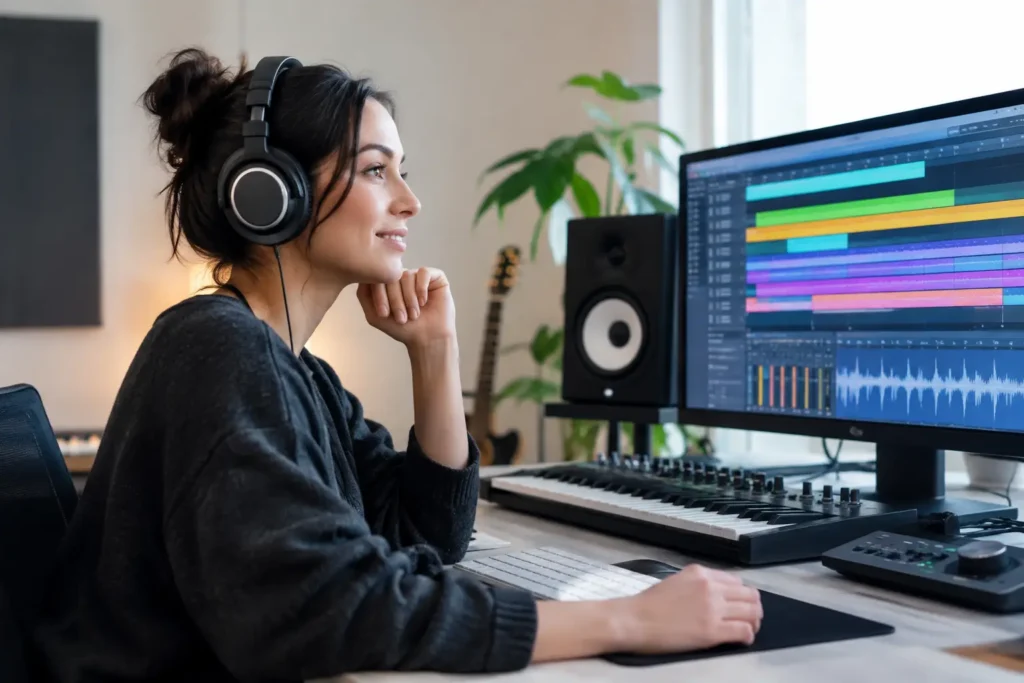
A vocal comp used to mean an hour of stopping, starting, labeling, and second-guessing takes. Now, a tool can identify likely problem phrases, suggest composites, and clean obvious noise before you have finished your coffee. That is the practical side of AI music production trends: less time spent on repetitive studio labor, more time making decisions that listeners can actually hear.
The catch is that AI does not know why your chorus needs to feel more exposed than the verse, why a kick should be late by a few milliseconds, or why a rough vocal take carries more conviction than a polished replacement. It can accelerate a workflow. It cannot take responsibility for the record.
For home studio producers, the useful question is not, “Will AI replace producers?” It is, “Which tasks should I hand off so I can finish better music faster?”
AI Music Production Trends Moving Into Real Workflows
The biggest shift is not one magic plug-in. It is the growing number of AI features built directly into the DAWs, plug-ins, sample tools, and distribution platforms producers already use. These tools are becoming less of a novelty and more of an assistant for narrow, time-consuming jobs.
Faster editing without surrendering the performance
Audio cleanup is one of the most useful places to start. AI-assisted tools can reduce background noise, identify clicks, separate a vocal from room bleed, tighten timing, and help organize takes. For a songwriter recording in a bedroom, that can mean getting a usable demo without losing an entire night to clip repair.
But cleanup needs a light touch. Aggressive de-noising can leave vocals thin and watery. Automatic timing correction can erase the natural push and pull that made the take work. Use AI to get from distracting to workable, then listen in context with the arrangement. A soloed vocal can fool you. The record is what matters.
This is especially relevant when moving sessions between Pro Tools, Logic Pro, Cubase, Studio One, and Ableton Live. Each DAW has its own editing strengths, and outside tools can add another layer of settings, renders, and file management. A fast process is only fast if you understand where the processed file went, what changed, and how to reverse it.
Stem separation is becoming a legitimate production tool
Separating vocals, drums, bass, and instruments from a stereo file used to produce artifacts severe enough to limit the result to rough practice. The quality is improving quickly. Producers now use separation for remixes, rehearsal tracks, arrangement study, repair work, and creating alternate versions when the original multitracks are unavailable.
The limitation is still real. Dense cymbals, distorted guitars, stacked background vocals, and heavily compressed masters can create warbling or smearing after separation. If you plan to release the result, check it on headphones, monitors, and a small speaker. Do not assume a clean-sounding solo stem will survive when it is compressed, widened, and pushed against a new beat.
The smarter application is creative. Pull a vocal into a new harmonic setting, isolate a percussion texture for inspiration, or study how an arrangement leaves space around a lyric. Treat separated material as a starting point that requires judgment, not a flawless substitute for original tracks.
Generative tools are changing the sketch, not eliminating the producer
Generative music tools can produce chord progressions, drum ideas, bass movement, sound variations, and full reference-style sketches in seconds. That speed can be useful when you are stuck at bar eight and need to hear a different direction.
It can also create a trap: accepting the first plausible idea. AI is very good at making music that sounds familiar quickly. Familiar is not the same as memorable. If every section arrives on schedule, every drum fill lands in the expected place, and every lyric says the obvious thing, your track may be technically complete but emotionally flat.
Use generated material as a prompt. Change the voicing. Replace the stock sound. Rewrite the transition. Play a part that reacts to the vocal rather than following a grid. If you cannot point to your own musical decisions in the finished arrangement, you have not produced it yet.
Where AI Helps Most in a Home Studio
The strongest use cases are the ones where a machine handles repetition and you retain the artistic call. Session organization, transcription, chord detection, sample tagging, rough mix references, vocal cleanup, and alternate arrangement ideas can all save meaningful time.
Mix assistance can also be helpful, particularly for producers who struggle to get a starting balance. Automated analysis may flag masking between kick and bass, suggest EQ areas to investigate, or generate an initial gain structure. That gives you a direction. It is not a final mix.
A mix assistant cannot know whether the bass should overwhelm the room because that is the point of the song. It cannot know that a vocal needs edge instead of polish, or that the snare being slightly too loud creates the energy your artist wants. Those are aesthetic choices, and they require references, monitoring you trust, and ears trained to hear consequences.
For beginners, AI can shorten the distance between an idea and a listenable result. For experienced producers, it can clear tedious work from the day. In both cases, the value depends on whether the tool solves a real bottleneck. Adding five AI plug-ins to an unstable system does not improve productivity. It usually creates more variables when something breaks.
The Risks Producers Need to Manage
The speed of AI has made rights and provenance part of everyday production decisions. Before using generated audio, voice models, source material, or separated stems, understand the service terms and the rights attached to the output. Commercial use permissions can differ by plan, tool, territory, and source material.
Voice cloning deserves particular caution. A voice is not just another preset. Using an imitation of a recognizable singer without clear permission can create legal, ethical, and career problems that no fast workflow justifies. The same goes for uploading client sessions to cloud-based tools. Know what leaves your computer, how it is stored, and whether you have permission to send it.
There is also a creative risk: losing your troubleshooting instincts. If an assistant keeps suggesting fixes, you may stop learning why the vocal is harsh, why the MIDI timing feels stiff, or why your mix collapses in mono. AI can offer a recommendation, but it should not become a substitute for understanding gain staging, routing, phase, arrangement, and monitoring.
Build an AI Workflow You Can Actually Control
Start with one recurring pain point. Maybe it is vocal editing, finding samples, turning spoken notes into lyrics, or getting a first-pass mix balance. Test one tool on a copy of a real session, not a once-and-forgotten demo. Compare the result against your normal workflow and decide whether it saved time without causing new cleanup work.
Keep the original audio, MIDI, and session versions. Print processed tracks with clear names so you know exactly what changed. If a tool offers a strength control or confidence setting, begin conservatively. You can always process more. Restoring a performance after overprocessing is harder.
Most importantly, keep your production decisions intentional. Ask whether the result improves the song, not whether the software did something impressive. The producers who benefit most from AI will not be the ones collecting every new tool. They will be the ones who can hear a problem, choose the right process, and know when to leave the music alone.
If you are stuck between a promising AI feature and a session that suddenly will not behave, get direct help before the technical problem steals the creative day. A real engineer can look at your DAW, your routing, your hardware, and your actual goal in the same session. That is where tools become progress instead of another tab open on your screen.