
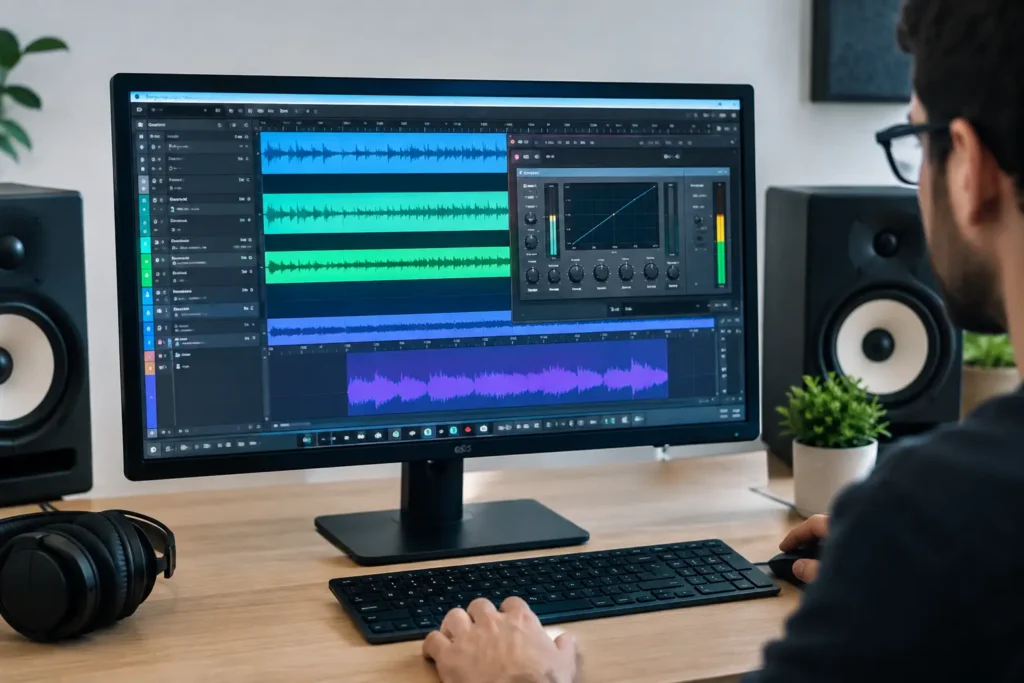
A kick drum can sound huge on its own, and a bass can sound huge on its own, yet the mix still collapses when they play together. That is exactly where you use sidechain compression in Studio One. Instead of turning tracks down until the energy disappears, you let one signal briefly control the level of another. The result is space, punch, and a mix that feels intentional rather than crowded.
Sidechain compression is not just the familiar dance-music pumping effect. It is a practical mixing tool for giving a kick room around 50-100 Hz, clearing a vocal path through a dense keyboard stack, or keeping an effects return out of the way while the lead is singing. The setup is straightforward once you understand what Studio One is asking you to route.
What Sidechain Compression Actually Does
A normal compressor listens to the same audio it is reducing. Put a compressor on a bass track, and the bass triggers its own gain reduction when it gets loud.
With sidechain compression, the compressor is still placed on the track you want to control, but it listens to a different track for its trigger signal. Put the compressor on your bass, feed the kick into its sidechain input, and every kick hit tells the bass compressor to reduce gain for a brief moment.
That distinction matters. Your kick does not need to become louder. Your bass does not need to be permanently quieter. You are creating a short, repeatable gap at the exact moment two important sounds compete.
How to Use Sidechain Compression in Studio One
Start with a simple, useful example: ducking the bass from the kick drum. Make sure your kick and bass are on separate channels in the Console. Place Studio One’s Compressor plug-in, or another compressor that supports external sidechain input, as an insert on the bass channel.
Open the compressor and enable its Sidechain input. In Studio One, this activates an available sidechain destination for that plug-in. Then go to the kick channel’s Sends section and add a send to the compressor’s sidechain input. Depending on your Studio One version and the plug-in you are using, the destination may appear with the compressor or bass channel name followed by “Sidechain.”
At this point, the kick is feeding the compressor’s detector circuit, not the bass mix output. That is the routing concept that trips up many users. If you can hear a strange duplicate of the kick or your mix level jumps when you add the send, check that you selected the sidechain destination rather than a standard audio bus.
Now play the section where the kick and bass are competing. Lower the compressor threshold until the gain-reduction meter moves on each kick hit. Begin conservatively. About 2-4 dB of gain reduction is often enough for a natural rock, pop, or singer-songwriter mix. Electronic productions may need more, but more reduction is not automatically better.
Set the ratio next. A 2:1 or 4:1 ratio is a practical starting point. Use a faster attack when the kick needs immediate room. If the bass loses too much impact or its attack disappears, slow the attack slightly. Set the release so the bass returns naturally before the next important note or kick hit. A release that is too fast can create a chattering, nervous sound. A release that is too slow leaves the bass recessed long after the kick has passed.
Listen in the context of the full mix, not with the kick and bass soloed forever. Soloing helps you hear the compressor working, but the right settings are the ones that make the entire record hit harder and feel clearer.
Start With These Settings, Then Listen
There is no universal preset because tempo, arrangement, kick length, and bass tone all change the answer. Still, these starting points will get you moving:
- Ratio: 2:1 to 4:1
- Attack: 5-20 ms for a more natural duck, faster if the kick needs immediate space
- Release: 80-200 ms, adjusted to the groove
- Gain reduction: 2-4 dB for subtle control, 5-8 dB or more for an obvious pumping effect
If the kick pattern is busy, shorten the release. If the song is slower and the bass needs to bloom between hits, a longer release may work better. Watch the meter, but trust the groove.
Use Filtering So the Compressor Reacts to the Right Thing
A sidechain detector does not need to hear the full source signal. Often, it should not. If cymbal bleed, click, or upper midrange content in the kick is causing inconsistent compression, use the compressor’s sidechain filter or EQ controls to focus the detector on the low-frequency punch of the kick.
For kick-to-bass ducking, try filtering the detector so it responds primarily to the kick’s low end and low-mid impact. This can make the compression more stable, especially with acoustic drums or layered kick samples. Conversely, if you are ducking a guitar or pad under a vocal, a high-pass filter on the detector can prevent plosives and low-end rumble from pulling the music down unnecessarily.
This is one reason sidechain compression can sound far more transparent than a static volume reduction. You can tell the compressor exactly what part of the trigger signal should matter.
Practical Studio One Sidechain Uses Beyond Kick and Bass
Vocal ducking is one of the most useful applications in a crowded arrangement. Place a compressor on a keyboard bus, guitar bus, or reverb return. Send the lead vocal to the compressor sidechain. When the singer enters, the competing music or effect drops just enough for the words to come forward. When the vocal stops, the arrangement fills back in.
This works especially well on a vocal reverb return. A long reverb can create depth between phrases but blur consonants during the lyric. Sidechain the reverb return from the dry lead vocal, then use moderate compression with a quick attack and a release that matches the vocal phrasing. The reverb steps back while the vocal is present and rises naturally into the spaces.
You can also duck a bass guitar slightly from a low tom, control a noisy room mic from a snare, or make a synth pad move with a rhythmic percussion loop. The question is not, “Can I sidechain this?” The useful question is, “Is one sound preventing another sound from doing its job?”
Common Problems and Fast Fixes
If the compressor is not reacting, confirm three things: the compressor is inserted on the track you want reduced, its Sidechain button is enabled, and the source channel is sending to the correct sidechain destination. Also make sure the threshold is low enough to receive the trigger.
If the bass vanishes every time the kick hits, back off the threshold, lower the ratio, or shorten the release. A deep duck may sound exciting in solo mode but make the low end feel weak in a full arrangement.
If you hear pumping when you did not intend it, the release is usually the first control to inspect. Try a different release time before making dramatic EQ changes. If the compressor triggers unpredictably, use detector filtering or reduce the send level from the source channel.
Finally, do not use sidechain compression as a substitute for arrangement, sound selection, or basic EQ. If the kick and bass are fighting constantly because they occupy the same register and play the same sustained pattern, compression can help, but it cannot make two poorly chosen parts become separate instruments.
When routing, timing, or detector filtering gets confusing, a live one-on-one session with an OBEDIA engineer can get your exact Studio One template working while you hear why each choice changes the mix. The goal is not to make the compressor meter move. It is to make the next playback feel clearer, bigger, and easier to finish.