
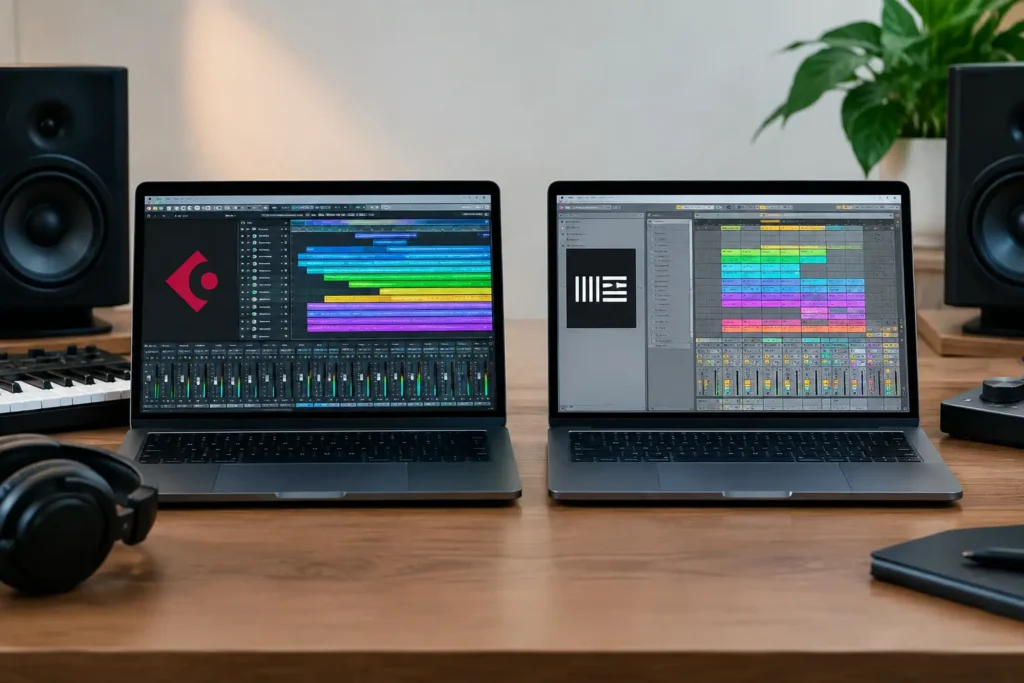
A Cubase vs Ableton decision is rarely about which DAW is “better.” Both can produce release-ready records, run serious sessions, and handle demanding MIDI production. The real question is where you lose momentum now: writing ideas, recording performers, editing takes, arranging tracks, mixing, or getting your controllers and hardware to behave.
That distinction matters. A producer making electronic music in a bedroom studio may need a fast way to capture loops and reshape ideas. An engineer tracking a singer, guitarist, or band may need detailed editing, familiar routing, and a session layout that stays organized when the track count climbs. Pick the DAW that supports the work you actually do, not the one someone else uses in a tutorial.
Cubase vs Ableton: The Core Difference
Cubase is built around a traditional linear recording and production workflow. You work along a timeline, build arrangements from left to right, record and edit audio, program MIDI, automate a mix, and deliver a finished song. That does not make it old-fashioned. Cubase has deep composition tools, powerful MIDI processing, strong audio editing, and serious mixing capability. It simply approaches production like a full recording studio.
Ableton Live approaches music creation from two connected views. Arrangement View is the familiar timeline, but Session View is the defining feature. It lets you launch clips, scenes, loops, and musical parts independently without committing to a linear arrangement. For building electronic tracks, testing sections, performing live, or finding an arrangement by experimentation, this can be extremely fast.
Neither approach is inherently superior. Ableton is not just for dance music, and Cubase is not only for bands. But the workflow differences are real enough that they should drive your choice.
Choose Cubase If Recording and Detailed Production Lead Your Work
Cubase makes immediate sense for producers and engineers who think in complete songs and recorded performances. If your sessions begin with a vocalist, a guitar, a piano, a drum kit, or clients sending multitracks, the main Project window feels natural. You can create tracks, set inputs, record takes, build comp lanes, edit timing and pitch, then move directly into mixing without changing your mental model.
Its MIDI environment is a major reason many composers stay with it. The Key Editor is detailed without being difficult once you understand it, and Cubase provides extensive control over quantizing, articulation, expression, controller data, chord construction, drum programming, and score-oriented writing. Film composers, arrangers, and producers working with virtual instruments often value that depth because small MIDI decisions can have a major impact on realism.
Audio editing is another Cubase strength. Comping vocals, cleaning dialogue, tightening instrumental takes, slicing performances, and working with multiple versions of a track are all central to its design. When a project has 50, 80, or 150 tracks, a linear DAW with clear folder structures, channel organization, and console-style mixing can save time.
Cubase also suits people who want one primary environment for writing, tracking, editing, mixing, and mastering-oriented finishing work. You can certainly use external plug-ins and specialized tools, but the program does not force you to build a workflow out of separate pieces before you can make progress.
The trade-off is that Cubase can feel dense at first. There are many menus, settings, editors, and routing options. That depth is valuable when you need it, but beginners can waste hours changing preferences, mapping a controller incorrectly, or looking at the wrong window instead of recording the song.
Cubase is usually the better fit when you:
Work with recorded musicians, edit vocals or instruments in detail, produce orchestral or MIDI-heavy arrangements, or prefer to see a song as a timeline from the start. It is also a strong choice if you want a DAW that can grow with you from basic demos to complex production and mix sessions.
Choose Ableton Live If Ideas Need to Move Faster
Ableton Live is built for momentum. Session View gives you a grid of clips that can be launched in any order. You can create several drum patterns, bass ideas, chord variations, vocal hooks, and transitions, then try combinations in real time. Instead of stopping to copy, paste, and rearrange blocks on a timeline, you can hear possibilities immediately.
That is why Ableton has become a standard for electronic music producers, beatmakers, loop-based writers, and live performers. Its warping system makes it practical to match audio to tempo, manipulate samples, build remixes, and turn a rough recording into usable material quickly. If your process starts with sampling, sound design, rhythmic experimentation, or jamming with a MIDI controller, Live can feel remarkably direct.
Ableton’s instruments and effects also encourage experimentation. You can build racks, map multiple parameters to macro controls, resample ideas, and create performance-oriented setups without needing to think like a conventional recording engineer. For a producer who wants to make a beat, mutate it, and try five arrangements before dinner, that speed is not a minor convenience. It can determine whether the track gets finished.
Live is fully capable of recording, comping, editing, and mixing. Plenty of excellent records are completed there. Still, users coming from a traditional studio background sometimes find its mixer and session organization less immediately familiar than Cubase. Larger recording projects can be handled well, but you may need a more deliberate organization strategy as tracks, take lanes, and processing chains grow.
Ableton is usually the better fit when you:
Create from loops, samples, and programmed parts; want to jam arrangements before committing them; use pads, knobs, and controllers heavily; or plan to perform your music onstage. It is especially effective when the creative problem is not a lack of tools, but a lack of fast ways to test ideas.
Recording, Editing, and Mixing: Where the Choice Gets Practical
If you record a singer-songwriter once a month, either DAW can do the job. If you record vocal stacks every week, edit guitars, comp drums, manage multiple microphone inputs, and send mixes to clients, Cubase often gives you a more traditional and comfortable path. Its structure rewards careful session management.
Ableton can record those same sessions, but it shines most when recording is part of a creative loop. Capture a vocal phrase, warp it, chop it, trigger it, process it, and turn it into a new hook. That is a different kind of production strength.
For mixing, do not choose either program based on myths about sound quality. Both can produce professional results. The quality of your source material, gain staging, monitoring, arrangement, decisions, and mix technique will matter far more than the name on the DAW. Choose the mixer layout and workflow that help you make decisions without second-guessing every move.
MIDI, Controllers, and Your Actual Setup
MIDI can be the deciding factor, but the answer depends on how you use it. Cubase is often the better tool for precise note editing, advanced controller data, expression maps, and detailed composing. Ableton is often more immediate for hands-on MIDI performance, clip launching, drum programming, and controller-driven writing.
Do not overlook hardware. An audio interface, MIDI keyboard, pad controller, external synth, or control surface can change how either DAW feels. Many so-called software problems are really driver, routing, clocking, buffer, or MIDI configuration problems. A generic video cannot see your interface settings, your operating system, or the exact controller that is failing to map correctly.
Before committing, test the DAW with your real gear and your real project type. Record a vocal. Program drums. Import a sample. Set up your interface. Map a controller. Export a rough mix. The software that feels good in a five-minute demo may feel very different after a full evening of work.
Do Not Switch DAWs to Avoid Learning One
Switching from Cubase to Ableton, or the other way around, can solve a genuine workflow mismatch. It will not solve unclear production goals, weak session organization, poor monitoring, or unfamiliarity with basic recording and mixing concepts. Every DAW has a learning curve, and every DAW has a few tasks that feel unintuitive until someone shows you the correct workflow.
If Cubase feels complicated, you may only need a clean template, a better track organization system, and targeted instruction on the features you use every day. If Ableton feels chaotic, you may need to understand the relationship between Session View and Arrangement View, plus a practical system for finishing songs. Those are fixable problems, not reasons to start over.
A live one-on-one session can be far more productive than spending another weekend searching for a tutorial that almost matches your setup. OBEDIA training is built around the session in front of you, whether you need to configure hardware, build a recording template, tighten a MIDI workflow, or finish a mix.
The right DAW is the one that keeps your attention on the music long enough to complete it. Choose Cubase when detailed recording, composition, editing, and console-style production are central to your work. Choose Ableton when experimentation, clips, sampling, controller performance, and rapid arrangement discovery drive your best ideas. Then learn that choice well enough that the software stops being the project.