
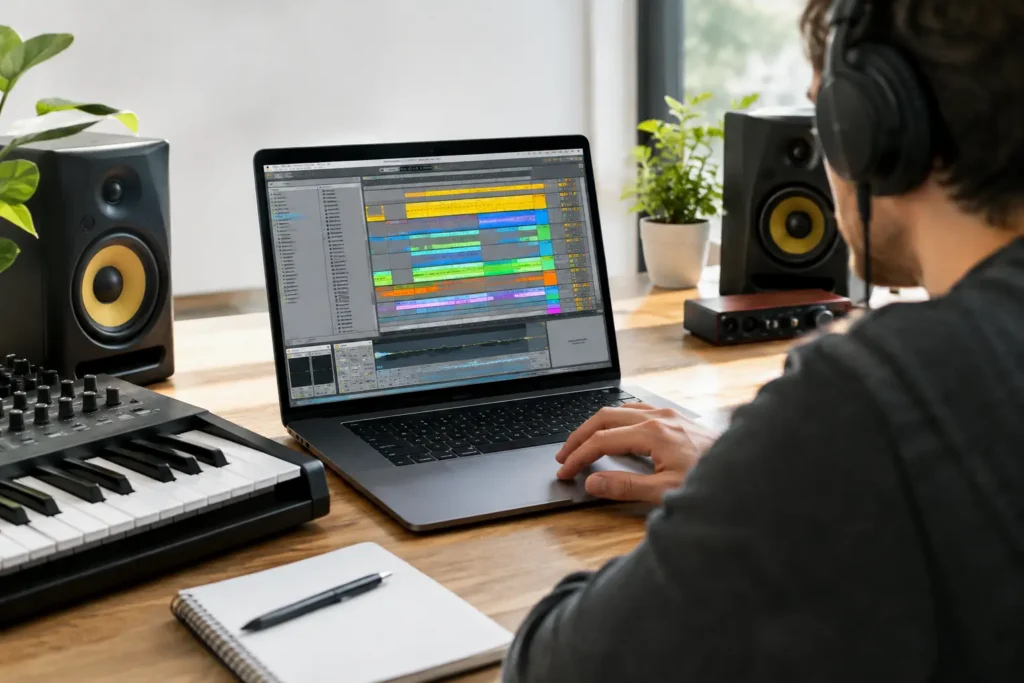
You have an eight-bar loop that hits hard. The drums work, the bass is right, and the hook is memorable. Then the Arrangement View opens, the timeline stretches out, and every next move feels like a guess. That is exactly where Ableton Live arrangement coaching earns its value: not by giving you another generic song template, but by helping you make clear decisions about your actual track.
A loop is not a finished record with missing minutes. It is a musical idea that still needs shape, movement, contrast, and a reason for the listener to stay until the end. Those are arrangement problems, and they are difficult to solve alone when you are also writing, sound designing, editing, mixing, and trying to learn Live’s workflow at the same time.
What Ableton Live Arrangement Coaching Fixes
Most unfinished songs do not fail because the producer lacks sounds or plug-ins. They stall because the arrangement has no plan. A verse may feel too much like the chorus. The drop may arrive before enough tension has built. The same four bars may repeat until the track loses momentum. Or a producer may have a strong Session View performance but no practical method for turning it into a clean Arrangement View timeline.
One-on-one coaching puts an experienced set of ears on those decisions. Instead of being told that a song should have an intro, verse, chorus, bridge, and outro, you can look at the material you have and decide what the song actually needs. A club track, a singer-songwriter production, a beat for an artist, and a cinematic cue do not need the same roadmap.
That distinction matters. Templates are useful starting points, especially when you are learning song form. But forcing every track into the same 16-bar blocks can make your music predictable. Good coaching teaches you how to recognize function: what creates anticipation, what delivers impact, what gives the listener a break, and what needs to disappear before the next section arrives.
Start With the Listener, Not the Timeline
When an arrangement feels flat, producers often add more layers. Another percussion loop, another synth, another riser, another effect. Sometimes that works. More often, the missing ingredient is contrast.
Before adding anything, identify the central promise of the track. It might be the vocal hook, a guitar riff, a drum groove, a bass movement, or the emotional lift of a chord change. That element should have room to matter. If it plays at full intensity from bar one through the final chorus, the listener has nowhere to go.
During a live coaching session, an engineer can help you map the energy already inside your clips. You may discover that your “intro” is really a pre-chorus, that your best chord voicing is arriving too early, or that the bridge should be a stripped-down vocal moment instead of a whole new section with ten additional tracks. These are small changes on the screen, but they can completely change how a song lands.
A practical way to begin is to place locators for the major moments before obsessing over transitions. Mark the opening, first main section, contrast section, peak, final return, and ending. The labels do not need to follow traditional songwriting terms. What matters is that each section has a job.
Move From Session View to a Real Arrangement
Ableton Live gives producers a powerful way to experiment in Session View. You can launch scenes, test combinations, and discover spontaneous moments without committing to a fixed structure. The problem comes when your session becomes a wall of clips and no one knows which performance should become the song.
Arrangement coaching can help you record or transfer the strongest ideas into Arrangement View, then edit with intention. This is not simply a technical exercise. Recording a live scene launch may capture excitement, but it can also create awkward entrances, overly long sections, and duplicated parts that need cleanup. The goal is to preserve the musical energy while making the structure repeatable and understandable.
An experienced coach can show you when to use Live’s arrangement recording, when to copy clips manually, and when consolidation will make the project easier to manage. You can also learn how to use locators, track grouping, automation lanes, and clip editing without turning the session into a confusing maze.
For producers who work with MIDI, audio loops, vocals, and hardware in the same project, organization is not cosmetic. Clearly named sections and grouped tracks make it easier to hear what is happening. They also make later mixing decisions faster because you are not hunting through twenty unnamed tracks to find the one clap that is masking the vocal.
Build Energy With Subtraction and Automation
The strongest arrangement move is often removing something at the right time. Pull the kick for a bar before the chorus. Cut the bass at the end of a phrase. Let a vocal line land without the full instrumental fighting it. These choices create space, and space makes the returning elements feel larger.
Automation is where Ableton Live can turn static sections into a performance. Filter movement, reverb throws, delay feedback, panning, volume rides, and gradual changes in saturation can guide the listener between sections. But automation should support the song rather than announce itself every four bars.
This is one reason real-time feedback is valuable. A coach can hear whether a sweep is building genuine tension or simply making the mix thinner. They can point out when a transition effect is covering a weak edit instead of solving it. They can also help you create movement with simpler tools, such as muting a percussion part, changing one chord inversion, or shortening the final note before a downbeat.
There is a trade-off. Highly detailed automation can make an arrangement feel alive, but it can also make revisions difficult if every section is treated as a separate production experiment. If you are producing for an artist who may request a shorter verse or a different chorus, clean structure and sensible group automation will save hours later.
Solve Transitions Before They Become Problems
Transitions expose weak arrangements. If you need a huge riser, five impacts, and a reverse cymbal just to make the chorus feel like it starts, the section before it may not be creating enough contrast. Effects are useful, but they are not a substitute for tension and release.
A productive coaching session can focus on the exact bars where your track loses momentum. Perhaps the fill is late. Perhaps the vocal pickup needs to start a beat earlier. Perhaps the last chord of the verse should be held while the drums drop out. These are specific, audible fixes that a generic tutorial cannot diagnose from a distance.
You can also examine the transition in context at multiple listening levels. What works on studio monitors may feel overdone on earbuds. What feels dramatic in solo may vanish once the full mix returns. Arrangement and mixing overlap here, especially with low-end elements, vocals, and effects returns. The answer is not always more processing. Sometimes it is one cleaner edit.
Get Coaching Around Your Actual Track
Watching arrangement videos can teach useful concepts, but it cannot tell you why your chorus is not lifting or why the second verse feels longer than it is. Your genre, sound selection, vocalist, arrangement goals, and current skill level all change the answer.
That is the advantage of working live with a real engineer. You can share the project, play the problem section, ask why a choice works or does not work, and apply the fix while the context is fresh. You are not left trying to translate advice from a tutorial made with different sounds, a different version of Live, and a completely different creative goal.
OBEDIA provides that kind of one-on-one, real-time support for Ableton Live users who want to finish music instead of collecting more production tips. Whether you need help building your first full arrangement or tightening a nearly finished release, the session should focus on the next decision that moves the track forward.
The useful question is not, “What else can I add?” Put the playhead at the moment where the song stops earning attention and ask, “What does the listener need to feel next?” Once you can answer that clearly, the arrangement usually tells you what to do.