
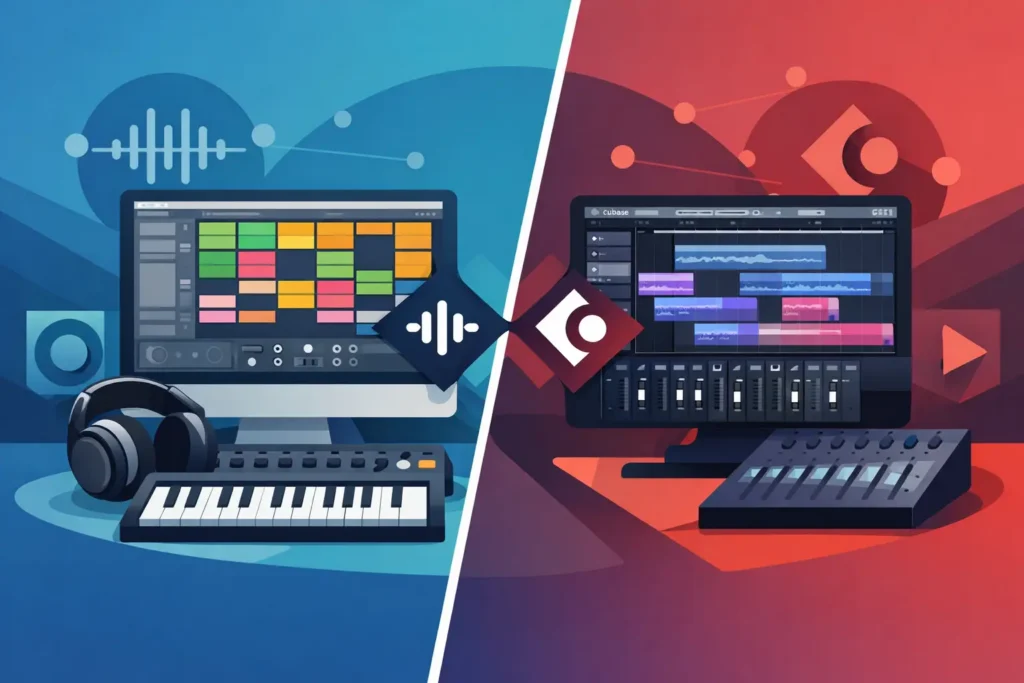
You usually feel the Ableton Live vs Cubase decision in the first hour, not after a month of feature comparisons. One DAW makes you sketch ideas fast and experiment without friction. The other makes you feel like you’re building a finished record from the start. Neither is wrong. The problem is choosing the one that matches how you actually work instead of how you think you should work.
If you’re producing beats, electronic music, songwriting demos, full band sessions, or mix-heavy projects in a home studio, this choice matters. The right DAW shortens the distance between an idea and a finished track. The wrong one turns every session into menu hunting, setup problems, and second-guessing.
Ableton Live vs Cubase: The real difference
At a high level, Ableton Live is built around speed, performance, loop-based creation, and experimentation. Cubase is built around detailed arrangement, recording depth, advanced MIDI composition, and traditional studio structure. That sounds simple, but the gap gets bigger once you start working on real projects.
Ableton Live tends to feel immediate. You can launch clips, reshape ideas on the fly, and move from sound design to arrangement quickly. For producers who build tracks from grooves, textures, loops, and evolving sections, Live often feels natural within minutes.
Cubase feels more like a full production environment from the beginning. Its layout, editing tools, and deep project control reward a more linear process. If you think in terms of verses, choruses, comping vocal takes, scoring parts, editing MIDI in detail, and finishing polished mixes, Cubase often makes more sense.
That does not mean Ableton cannot record serious sessions or Cubase cannot handle creative production. Both are professional tools. The difference is where each one reduces friction.
Which DAW is faster for writing music?
For raw idea generation, Ableton Live usually wins. Session View is still one of the best songwriting and production tools available if your process starts with trying combinations. You can test drum patterns, bass lines, synth parts, and vocal chops without committing to a full arrangement too early. That matters when inspiration is moving faster than your ability to organize.
Live is also strong for producers who treat arrangement as performance. You can build sections by launching scenes, recording your moves, and turning experimentation into a structure. If your music depends on energy shifts, drops, transitions, and evolving layers, this workflow is hard to beat.
Cubase is not slow, but it is more deliberate. It favors users who want to compose inside a timeline and refine ideas with precision. For piano-based writing, film-style composition, layered harmony work, and more traditional song construction, Cubase often feels more stable and complete. It gives you more detailed control earlier in the process, which some musicians find motivating and others find heavy.
So if you need speed and momentum, Live usually gets you there faster. If you need structure and detailed control, Cubase often keeps the project cleaner.
Recording and editing: where Cubase usually pulls ahead
If your work involves recording singers, guitars, live drums, or full song productions with multiple takes, Cubase has a clear advantage for many users. Its comping, editing, project organization, and broader recording workflow are excellent. You can move through serious tracking sessions with the kind of control engineers expect.
This is where a lot of home studio users get tripped up. They choose a DAW based on creative demos, then realize their real work is vocal production, punch-ins, playlist management, take selection, and editing. Cubase handles that kind of detail very well.
Ableton Live can absolutely record vocals and instruments, and plenty of professionals do exactly that. But if your workflow is take-heavy and edit-heavy, it may not feel as comfortable or as deep as Cubase. Live is often better when recording is part of production. Cubase is often better when recording is the center of production.
That distinction matters if you are a singer-songwriter, engineer, or producer delivering finished records for clients.
MIDI and composition tools
Cubase has long been respected for MIDI, and for good reason. If you want detailed editing, expression control, orchestral programming, advanced articulation management, and deep composition features, Cubase is one of the strongest options available. Composers and producers working on complex arrangements often prefer it because it lets them get very specific.
Ableton Live’s MIDI workflow is powerful too, but its strength is often speed over depth. Generating patterns, editing clips, trying devices, and shaping ideas feels quick and musical. For electronic production, beat programming, and modern pop workflows, that speed matters more than having every advanced composition feature in one place.
This is one of those it-depends decisions. If you are creating layered cue-based music, dense keyboard arrangements, or intricate MIDI mockups, Cubase usually gives you more room. If you are building tracks from rhythmic and harmonic ideas that need to move fast, Live often feels better.
Mixing, stock tools, and finishing a track
Cubase tends to appeal more to users who want a traditional mixing environment. Its console view, routing options, editing depth, and overall studio feel can make final production work easier, especially on larger sessions. If you come from a recording or engineering background, Cubase may feel closer to what you expect.
Ableton Live can absolutely produce release-ready mixes, but its mixer and layout feel different. Some users love that because it keeps them moving. Others feel it becomes less comfortable once projects get large and mix decisions become more technical.
Stock devices are strong in both platforms, but again they serve different mindsets. Ableton’s instruments and effects encourage creative sound shaping and fast experimentation. Cubase’s toolset leans toward comprehensive production and mix control. One is not more professional than the other. They just push you toward different behaviors.
Ableton Live vs Cubase for live performance and studio work
If performing on stage is part of your setup, Ableton Live has a major edge. Clip launching, scene triggering, backing track control, and live manipulation are built into its identity. Many artists choose Live for this reason alone. If your DAW needs to function as both a production environment and a performance instrument, Live is the safer bet.
Cubase is primarily a studio DAW. It can handle serious production work, but it is not the first choice for performance-centered users. If your world is arranging, recording, editing, and mixing in a studio setting, that is not a problem. If your world includes stage playback, improvisation, and real-time loop control, it probably is.
Who should choose Ableton Live?
Ableton Live usually fits beatmakers, EDM producers, remix artists, experimental producers, and songwriters who build from loops and texture. It is also a strong choice for creators who value speed, happy accidents, and a less rigid path from idea to arrangement.
It also works well for artists who perform their music and want one environment for both creation and playback. If opening your DAW should feel inspiring instead of technical, Live often delivers that faster.
The trade-off is that some users eventually want more traditional recording depth, more detailed editing, or a more conventional mixing flow. If that is already your priority, Live may not be your best long-term fit.
Who should choose Cubase?
Cubase usually fits producers, engineers, composers, singer-songwriters, and studio users who need deeper recording and editing tools. It is especially strong for users building polished, arrangement-heavy productions and those who rely on advanced MIDI features.
If your sessions involve vocals, guitars, comping, multiple takes, scoring elements, or complex production management, Cubase can save you time and frustration. It tends to reward users who want control, precision, and a DAW that scales well as projects get more demanding.
The trade-off is that it may feel less immediate for experimental creation, especially if you are used to more loop-driven workflows. Some users open Cubase and feel empowered. Others feel like they need to set the table before they can cook.
The better question: what are you trying to finish?
A lot of people compare DAWs by feature count. That is usually the wrong test. The better test is this: what kind of project are you trying to finish, and where do you usually get stuck?
If you get stuck starting, Ableton Live may help you move. If you get stuck finishing, editing, or organizing, Cubase may help you close the gap. If you are mostly producing electronic tracks and performing them, Live makes a lot of sense. If you are recording artists and shaping full productions with detail, Cubase often makes the better studio centerpiece.
And if you already own one of them but still feel blocked, the DAW may not be the real problem. Most users do not need a different platform. They need a clearer workflow, a better template, smarter routing, or direct help from someone who knows how to solve the exact issue in front of them. That is where real training beats another week of random tutorials.
Choose the DAW that removes friction from your actual work, not the one that looks best in a comparison chart. The best software is the one that gets your music finished.