
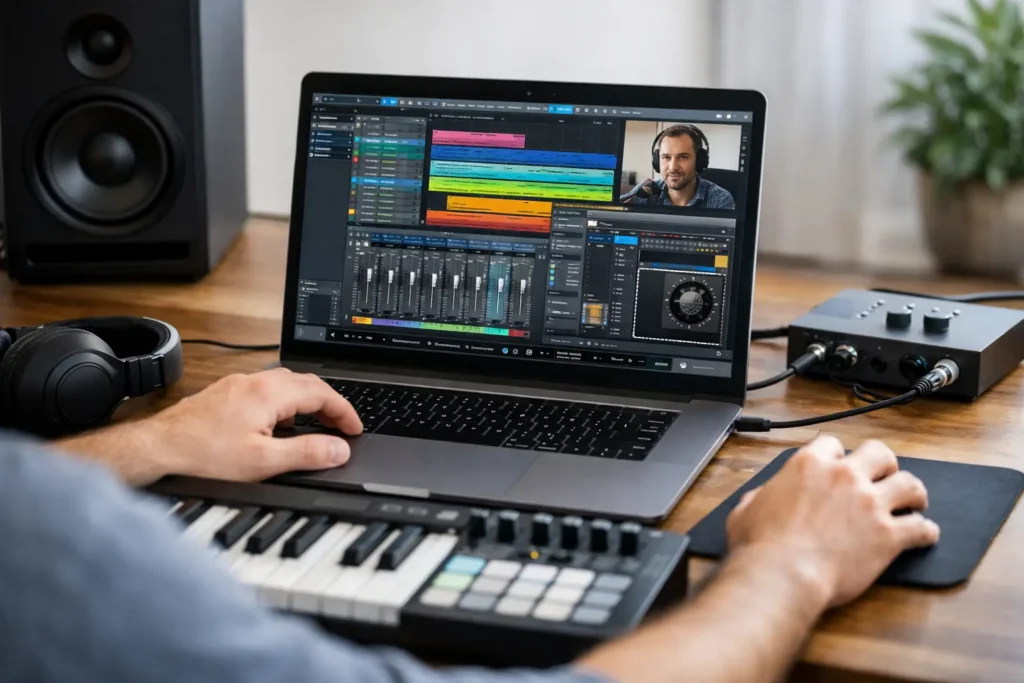
You can lose an entire weekend in Studio One and still not solve the thing that stopped your session on Friday. Maybe your interface is not routing correctly. Maybe your vocal chain sounds thin. Maybe you understand the basics, but arranging, mixing, and finishing tracks still feels slower than it should. That is exactly why studio one lessons online have become so valuable for serious home studio users.
The problem is not a lack of information. The problem is too much generic information, most of it disconnected from your actual system, your music, and your deadline. If you are trying to learn Studio One from random videos, forum threads, and guesswork, you are probably spending more time searching than producing.
That is where online instruction either helps or wastes your time. The difference comes down to whether the lesson is built around your specific workflow or whether it is just another one-size-fits-all tutorial.
What good Studio One lessons online should actually do
A useful lesson should get you from confusion to progress fast. That sounds obvious, but a lot of training misses the mark because it focuses on feature tours instead of results. Knowing where every menu lives does not matter much if you still cannot track a guitar cleanly, tighten a vocal, build a template, or finish a mix.
Good Studio One lessons online should meet you at the exact point where you are stuck. For one person, that means setting up audio inputs, low-latency monitoring, and MIDI controllers. For another, it means understanding gain staging, bus processing, automation, Melodyne integration, or mastering in the Project page. Same software, completely different needs.
That is why live, one-on-one training tends to outperform passive courses for most musicians and producers. A prerecorded course can be useful for broad orientation. It is less useful when your interface driver is conflicting with your sample rate, your plugin scan is failing, or your drum programming sounds stiff and artificial. Those are not theory problems. They are session problems.
Why prerecorded tutorials stop working
There is nothing wrong with free content. The issue is that free content usually breaks down at the exact moment things get specific.
A video might show how to use Studio One’s compressor, but it will not tell you why your rap vocal still sounds buried in a dense beat. A blog post might explain sidechaining, but it cannot hear the pumping in your mix and tell you whether the release time is wrong or your kick sample is the real issue. A beginner course might walk through the Arrange window, but it will not help much if your real challenge is integrating outboard gear or building a repeatable client mix workflow.
That gap matters because music production is practical. You do not get results from collecting information. You get results from applying the right move at the right time in your own session.
For beginners, generic lessons often create overload. You learn ten features before you can record one clean take. For intermediate users, they create blind spots. You know enough to work, but not enough to fix recurring bottlenecks. For advanced users, they usually move too slowly and stay too shallow.
Who benefits most from Studio One lessons online
If you are brand new, personalized lessons can save months of frustration. Studio One is more approachable than some DAWs, but there is still a real learning curve. Audio setup, buffer settings, routing, MIDI mapping, plugin management, and file organization can trip up a new user quickly. Getting that foundation right early changes everything.
If you are intermediate, this is usually where the biggest gains happen. You probably already know how to record, edit, and mix at a basic level. What you need is efficiency and better decision-making. Maybe your sessions are messy. Maybe your mixes are inconsistent. Maybe you can get ideas down, but you struggle to finish tracks that sound polished. This is where targeted instruction pays off fast because it is not about learning more features. It is about fixing the few weak points that slow everything down.
Advanced users benefit too, but for different reasons. They are often trying to solve higher-level problems such as hybrid mixing setups, advanced automation, mastering workflow, artist production strategy, or faster delivery for clients. At that level, the value is not basic education. It is expert troubleshooting and workflow refinement.
What to look for before you book a lesson
Not all online training is equal, and the cheapest option is not always the best value. If a lesson does not address your real system and your real goals, it is just paid screen time.
First, look for instruction that happens live. Real-time feedback matters because production problems are rarely theoretical. They are usually audible, technical, or workflow-based. A live instructor can hear the issue, see your setup, and respond immediately.
Second, make sure the training is specific to Studio One, not just general DAW coaching. There are concepts that transfer across platforms, but platform-specific speed matters. If you are paying for help, you want someone who knows the shortcuts, routing behavior, stock tools, integration points, and common failure points inside Studio One itself.
Third, look for someone who can teach beyond the software. A lot of music production problems are not strictly DAW problems. They involve interfaces, microphones, monitor setup, MIDI devices, plugin chains, file management, vocal recording technique, or mix translation. If your instructor only knows menu navigation, you may still end the lesson with the bigger problem unresolved.
Finally, look for a results-focused approach. You want to walk away with something concrete – a fixed setup, a better-sounding mix, a cleaner recording chain, a usable template, or a repeatable workflow. If the lesson is all explanation and no application, it is missing the point.
The biggest advantage of live online lessons
The real advantage is speed.
When an experienced engineer can log in with you, hear what is happening, and work through the issue in real time, you stop burning hours on trial and error. That speed is not just convenient. It protects momentum. And momentum matters more than most people realize.
A lot of artists do not quit because they lack talent. They stall because technology keeps interrupting the creative process. A routing problem becomes a lost writing session. A plugin issue becomes a postponed mix. A bad monitoring setup leads to second-guessing every decision. Over time, those delays add up and drain confidence.
That is why direct support is so effective. It clears the obstacle and gets you back to making music.
This is also where a service like OBEDIA fits naturally for many Studio One users. Instead of forcing you through a generic curriculum, live remote training can work on your session, your hardware, and your goals in the moment. That is a very different experience from watching another video and hoping your issue happens to be covered.
Common goals people bring to Studio One training
Some users need help getting started. They want to record vocals properly, build beats, use virtual instruments, or understand basic editing and mixing. Others are trying to tighten a specific process, like comping vocals faster, cleaning up timing, using buses more effectively, or building mastering chains that translate across speakers.
Then there are the users dealing with technical friction. Audio dropouts, latency, crackling, driver conflicts, plugin instability, and controller integration issues can make Studio One feel harder than it actually is. These problems are frustrating because they often sit between creative ideas and finished work. Solve them, and the whole system becomes easier to trust.
There is also a less obvious goal that matters just as much: confidence. A good lesson does not just tell you what button to click. It helps you understand why a workflow works, when to use it, and how to repeat it later without help. That is how training turns into independence.
The trade-off to think about for Studio One Lessons Online
Self-paced learning is cheaper on paper. If you have plenty of time, a simple setup, and enough patience to sort through mixed-quality information, it can work.
But if your time matters, your setup is complicated, or your progress has been stalled for weeks, the math changes. Paying for targeted help often costs less than the time you lose chasing the wrong fix. It also reduces the risk of building bad habits that take longer to unlearn.
That does not mean every user needs ongoing instruction forever. Some people need one solid session to clean up their system and point them in the right direction. Others benefit from regular coaching because their production goals keep evolving. It depends on your experience level, your schedule, and how quickly you need results.
If you are considering studio one lessons online, the best question is not whether lessons are worth it in theory. The better question is whether your current approach is getting you to finished, better-sounding music fast enough.
If the answer is no, that is your signal. Get help that is specific, live, and focused on results. Studio One is powerful, but power only matters when you can use it without fighting your setup every step of the way. The right instruction should leave you with less confusion, more control, and a session that finally moves forward. This is why Studio One lessons online can be helpful!
We hope that you found this article about Studio One lessons online helpful! If you’re ready to take the next step forward and get Studio One lessons online, sign up with us today.