
When Ableton Live stops behaving, the problem usually is not just Ableton Live. It is your interface driver, your plugin scan, your buffer settings, your MIDI routing, your controller script, your sample path, or some combination of all of them. That is why Ableton Live technical support needs to go beyond canned advice. If your session will not open, your CPU is spiking, or your vocals are recording late, you do not need another vague tutorial. You need someone who can look at your exact system and fix the real issue.
That matters because Ableton Live sits at the center of a lot of moving parts. A producer might be running third-party instruments, external synths, aggregate devices, USB controllers, and cloud-stored sample libraries in one project. When something breaks, searching random forum threads can waste an entire evening. Real support shortens that cycle. It gets you back to recording, arranging, mixing, and finishing tracks.
What Ableton live technical support should actually cover
Good Ableton Live technical support is not limited to software crashes. It should cover the whole production environment around Live, because that is where many of the worst problems start. If Ableton Live is freezing during startup, for example, the fault may be a plugin validation problem. If playback crackles, the issue may be the interface driver or a sample rate mismatch. If your Push, keyboard, or pad controller is not responding correctly, the problem might be MIDI preferences, remote script conflicts, or bad port assignments.
This is where a lot of musicians get stuck. They know enough to be dangerous, but not enough to isolate the problem quickly. They can follow general advice, but their setup is not general. One producer is on a MacBook with class-compliant audio hardware. Another is on a Windows desktop with an ASIO driver, multiple monitors, and older VST plugins. The fix depends on the system.
Strong technical support should help with installation and updates, authorization problems, plugin management, audio configuration, MIDI setup, latency, routing, recording issues, export problems, and workflow tuning. It should also explain why the issue happened, so you are less likely to hit the same wall again next week.
The most common Live problems and why they happen
Ableton Live has a reputation for speed, which is one reason so many artists use it for writing and performance. But speed can disappear fast when the setup is unstable.
Crashes during launch often come from plugins, outdated system components, or permissions issues. A project that hangs while loading may be trying to call a missing sample, a broken max device, or an incompatible instrument. Audio dropouts usually trace back to buffer settings, CPU overload, disk streaming, or driver conflicts. MIDI timing issues can come from sync settings, USB bus congestion, or device-specific mapping problems.
Then there are the frustrating problems that look simple but are not. No sound from a track might be routing, monitoring, interface output assignment, or an armed track conflict. Delay while recording vocals might be input monitoring, plugin latency, direct monitoring settings, or the wrong driver mode. A controller that half-works can be worse than one that does not work at all, because it suggests the problem is solved when it is only partially configured.
This is why generic content often falls short. It usually addresses one symptom in isolation. Real support has to test the whole signal chain.
Why DIY troubleshooting hits a limit
There is nothing wrong with learning on your own. In fact, you should know your tools. But there is a difference between learning Live and spending six hours trying to figure out why your interface disappears every time you open a session at 48 kHz.
DIY troubleshooting tends to break down in three places. First, it assumes the problem is common and easy to reproduce. Second, it assumes your gear behaves like the gear in the tutorial. Third, it assumes you can tell whether the fix actually solved the root issue or just made the symptom disappear for now.
That last one matters. Maybe you stop the crackling by raising the buffer. Fine. But if that creates unworkable recording latency, you have not really solved the problem. You have traded one bottleneck for another. Good support is about getting to a usable outcome, not just any outcome.
What to expect from real-time Ableton Live technical support
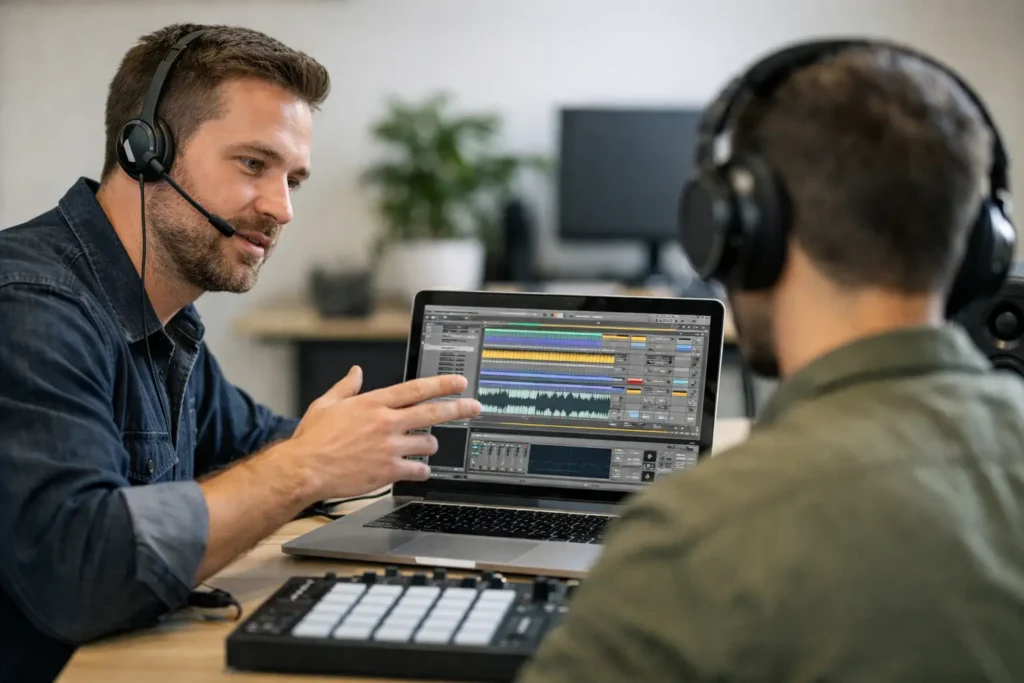
The best Ableton Live technical support is interactive. Not a canned response. Not a giant PDF. Not a 20-minute video that almost matches your situation. Interactive support means a knowledgeable engineer can hear what you are trying to do, look at the system, and guide the fix in real time.
That changes the experience immediately. Instead of guessing whether your input routing is correct, you confirm it on the spot. Instead of wondering which plugin is causing instability, you isolate it. Instead of reading ten opinions about latency, you configure the session for tracking, then test it with your interface and your actual mic chain.
A real session also has a training benefit. You are not just getting unstuck once. You are learning how Live handles audio preferences, plugin paths, warp modes, MIDI ports, controller surfaces, and session organization. Over time, that saves more hours than the original repair.
For home studio users, this is often the most efficient option. Your setup is part software, part hardware, and part workflow. An Ableton Live technical support session can address all three at once.
When support becomes training with Ableton Live technical support
A lot of people ask for technical help when what they really need is a workflow correction. That is common in Live because there are multiple ways to accomplish the same task, and some are better than others depending on your goals.
Take recording. A beginner may think they have a software bug because they hear latency or doubling in their headphones. In reality, they may be monitoring through both the interface and Live at the same time. Another user may struggle with exports that sound different from playback because their gain staging and limiter choices are not under control. Someone else may keep losing creative momentum because their template is cluttered, their sample management is sloppy, and every session starts with cleanup.
This is where technical support and instruction overlap. The immediate issue gets fixed, but the bigger win is a cleaner process. If your tracks open faster, your routing is predictable, your controllers map correctly, and your projects stop crashing, you can actually focus on the music.
That is the difference between support that patches problems and support that improves results. This is why Ableton Live technical support helps you.
How Ableton Live technical support saves time and money
A lot of musicians hesitate to get help because they think support is an extra expense. Usually the real expense is the time they lose trying to solve production problems alone.
If you bill studio time, wasted hours are obvious. If you are an independent artist, the cost is less visible but just as real. A stalled mix delays release plans. A broken recording setup kills momentum. A bad driver configuration can make you question your whole rig when the fix is actually straightforward.
There is also the hidden cost of bad buying decisions. People often replace hardware when the real issue is configuration. They buy a new interface, a new controller, or more plugins because they assume their current setup is the problem. Sometimes it is. Often it is not. An experienced support person can tell the difference quickly.
That kind of clarity matters whether you are brand new to Live or running a serious production setup. Beginners need fast answers so they can build confidence. Advanced users need accurate answers because their systems are more complex and downtime is more expensive. This is why Ableton Live technical support helps you.
Choosing the right kind of Ableton Live Technical Support
Not all support is equal. Email-only help can work for basic account or activation issues, but it is weak for troubleshooting signal flow, controller behavior, plugin instability, or performance tuning. Those issues are visual and procedural. They are easier to solve in a live session where both sides can verify what is happening.
You also want support from someone who understands production, not just software menus. There is a big difference between a person who can tell you where the setting is and a person who knows why that setting matters in a real session. If you are tracking vocals, building performance sets, mixing beat-driven music, or integrating external hardware, context matters.
That is why one-on-one remote help is often the smartest route. A real engineer can work through your exact machine, your exact interface, your exact version of Live, and your exact creative goal. OBEDIA has built its approach around that reality for years because musicians do not need more theory when a deadline is staring at them. They need a fix that works.
If Ableton Live is slowing you down, treat it like a production problem, not a personal failure. The right support does more than solve a bug. It gives you back your momentum, and that is usually the part you needed most. Get Ableton Live technical support from OBEDIA by signing up here.