
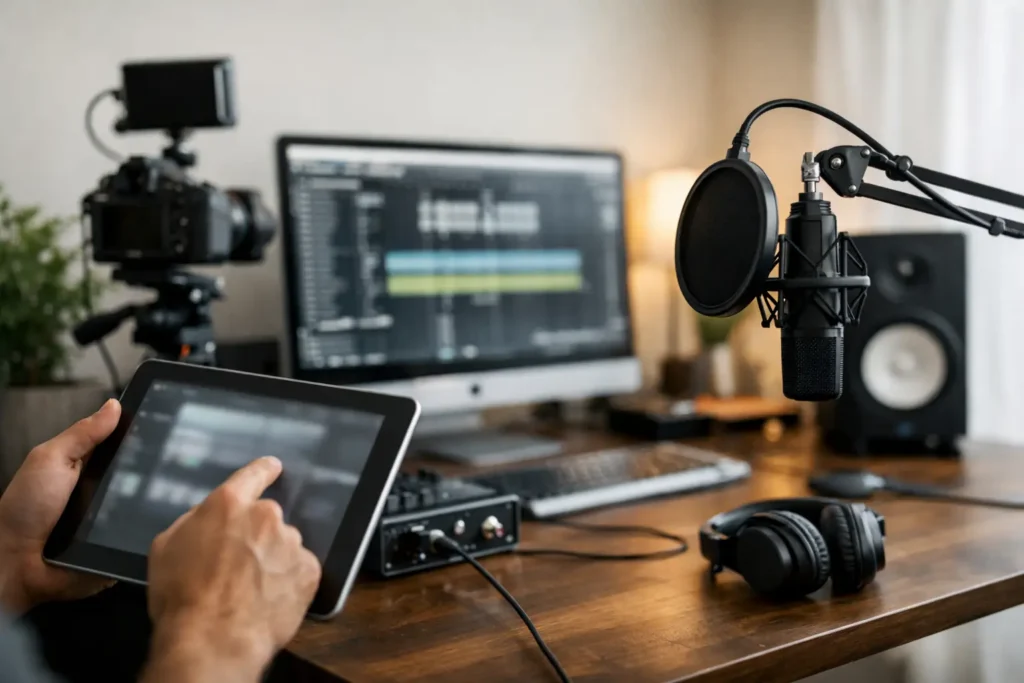
You do not need more random advice. If you are searching for home studio setup help, you are probably dealing with one of three problems: gear that will not talk to each other, software that does not behave the way the tutorial said it would, or a workflow that makes every session feel harder than it should. That is not a talent problem. It is a setup problem, and setup problems are fixable when you address the whole signal chain instead of guessing one piece at a time.
What home studio setup help should actually solve
A lot of content treats studio setup like a shopping list. Buy an interface, add a mic, install a DAW, done. Real-world studio work is not that clean. A usable setup depends on how your computer, operating system, audio interface, drivers, DAW, monitors, headphones, MIDI devices, plug-ins, and recording space all interact.
That is why generic advice often misses the mark. A singer tracking one vocal at a time in Logic Pro has different needs than a beatmaker running Ableton Live with multiple MIDI controllers. A podcaster can get away with choices that would frustrate a guitarist trying to monitor amp sims in real time. The right answer depends on what you record, how you monitor, and where your system starts breaking down.
Good setup help should answer practical questions fast. Why is your mic signal too low? Why are you hearing clicks and pops? Why is MIDI lagging? Why does playback sound different on speakers and headphones? Why can your DAW see the interface but not the inputs? If the advice does not lead to a clear fix, it is not helping.
Start with the purpose of the room for Home Studio Setup Help
Before changing settings or buying anything, define what your home studio needs to do every week. Not eventually. Right now.
If your main job is recording vocals over instrumentals, prioritize a stable interface, clean gain staging, a quiet recording area, and reliable headphone monitoring. If you produce electronic music mostly in the box, your keyboard controller, CPU performance, buffer settings, and session organization matter more than a large microphone locker. If you mix for clients, room accuracy and monitor placement become more important than adding another soft synth.
This matters because many home studios become expensive collections of mismatched solutions. One person buys a premium microphone when the real problem is poor room sound. Another upgrades monitors while still working from a laptop drive that chokes under larger sessions. Home studio setup help is most effective when it helps you stop solving the wrong problem.
The core pieces that usually cause trouble for Home Studio Setup Help
Computer and DAW stability for Home Studio Setup Help
Most frustration starts here. Your DAW can only be as stable as the system underneath it. That means enough processing power, enough RAM for your session size, proper storage, and current drivers that actually match your operating system. If your machine is underpowered, no amount of menu tweaking will make heavy sessions run smoothly.
There is also a difference between a system that opens projects and a system that works professionally. You need consistent low-latency performance, dependable plug-in behavior, and predictable session recall. If your DAW crashes every third session, freezes while scanning plug-ins, or loses device connections, the issue is rarely just “the software being buggy.” It is usually a compatibility or configuration problem.
Audio interface and driver setup for Home Studio Setup Help
Interfaces get blamed for everything, but they are often only part of the issue. The real question is whether the interface is configured correctly for your DAW and your recording task. Sample rate mismatches, wrong clock settings, outdated drivers, and improper input routing can create a surprising amount of chaos.
Buffer size is another common sticking point. Lower settings help when recording because they reduce latency, but they also put more strain on the computer. Higher settings are better for mixing because they improve stability, but they make live input monitoring harder. There is no magic setting that works for every session. It depends on whether you are tracking or mixing, and how demanding your project is.
Monitors, headphones, and room issues for Home Studio Setup Help
A good pair of studio monitors in a bad room can still lead you into bad decisions. If your speakers are too close to walls, placed unevenly, or firing into a reflective desk setup, your low end and stereo image can become misleading fast. Then you start overcorrecting with EQ and wondering why your mix falls apart everywhere else.
Headphones are useful, especially in untreated spaces, but they are not a full replacement for speaker monitoring. They can exaggerate width, hide room-related problems, and make level decisions feel different. The trade-off is simple: monitors reveal how sound interacts in space, while headphones isolate detail. Most home studios need both, used with intention.
MIDI and controller integration for Home Studio Setup Help
MIDI should save time. In many studios, it does the opposite. Keys stop triggering, pads map inconsistently, transport controls half-work, and virtual instruments respond with enough delay to kill the idea. Usually the issue is not that MIDI is complicated. It is that the DAW, controller setup, and template are not aligned.
The solution is often part technical, part workflow-based. You need the right ports enabled, the right control surface settings, and a session template that reflects how you actually create. Once that is dialed in, MIDI becomes fast and musical again instead of another troubleshooting project.
Home studio setup help is really workflow help
This is the part most articles miss. A studio is not just a collection of devices. It is a working environment. If every session starts with ten minutes of fixing routing, reconnecting hardware, or searching for the right input, your setup is costing you creative momentum.
A better workflow usually comes from small, specific changes. Build a template with your most-used tracks and routing already loaded. Label your inputs and outputs clearly. Save default I/O settings. Organize plug-ins by function, not by brand. Keep one reliable vocal chain ready to go instead of rebuilding it from scratch every time. None of that is glamorous, but it saves real hours.
The same goes for file management. Sessions stored across random external drives, desktop folders, and cloud sync locations will create avoidable problems. If you want consistency, your projects, sample libraries, backups, and exports need a clear structure. Otherwise, every technical issue gets harder to diagnose because the system itself is messy.
When to troubleshoot and when to stop guessing for Home Studio Setup Help
There is a point where self-troubleshooting stops being productive. If you have spent hours watching tutorials, changing preferences, reinstalling drivers, and still cannot get clean audio, you do not need another video. You need eyes on your exact setup.
That is especially true when the problem crosses categories. For example, distorted playback might be a buffer issue, a clocking issue, a driver conflict, a plug-in overload, or a gain staging problem. MIDI timing could come from interface settings, USB behavior, DAW configuration, or session design. The symptom looks simple. The cause often is not.
This is where live, one-on-one help beats generic content every time. An experienced engineer can look at the actual system, follow the signal path, test assumptions, and fix the problem in context. That is much faster than trying five forum suggestions that were written for someone else’s computer, interface, and DAW version. OBEDIA built its support model around exactly that reality because modern home studios are personal, not standardized.
What a solid setup looks like in practice for Home Studio Setup Help
A solid home studio is not the most expensive one. It is the one that lets you capture ideas quickly, monitor accurately enough to make good decisions, and finish work without technical interruptions. For some users, that means a laptop, a two-channel interface, one microphone, headphones, and a clean DAW template. For others, it means more inputs, external hardware, room treatment, and a more advanced routing setup.
The key is alignment. Your gear should match your work. Your software should match your process. Your room should support the kind of listening you need to do. And your system should be stable enough that creativity is not constantly interrupted by preventable problems.
That last point matters more than people think. A home studio does not have to be perfect to be productive. It has to be dependable. Once your setup is reliable, your attention goes back where it belongs – performance, arrangement, editing, mixing, and finishing records.
If your studio still feels harder to use than it should, take that seriously. Frustration is usually a signal that something in the chain is mismatched, misconfigured, or overcomplicated. Fix that, and the same room, same gear, and same software can suddenly feel like a real working studio instead of a constant fight. That is the kind of progress worth chasing.
We hope this article about home studio setup help was of use to you. If you’re ready to start getting home studio setup help from real, live, USA-based home studio setup help professionals via remote desktop and phone, sign up with OBEDIA by CLICKING HERE.