
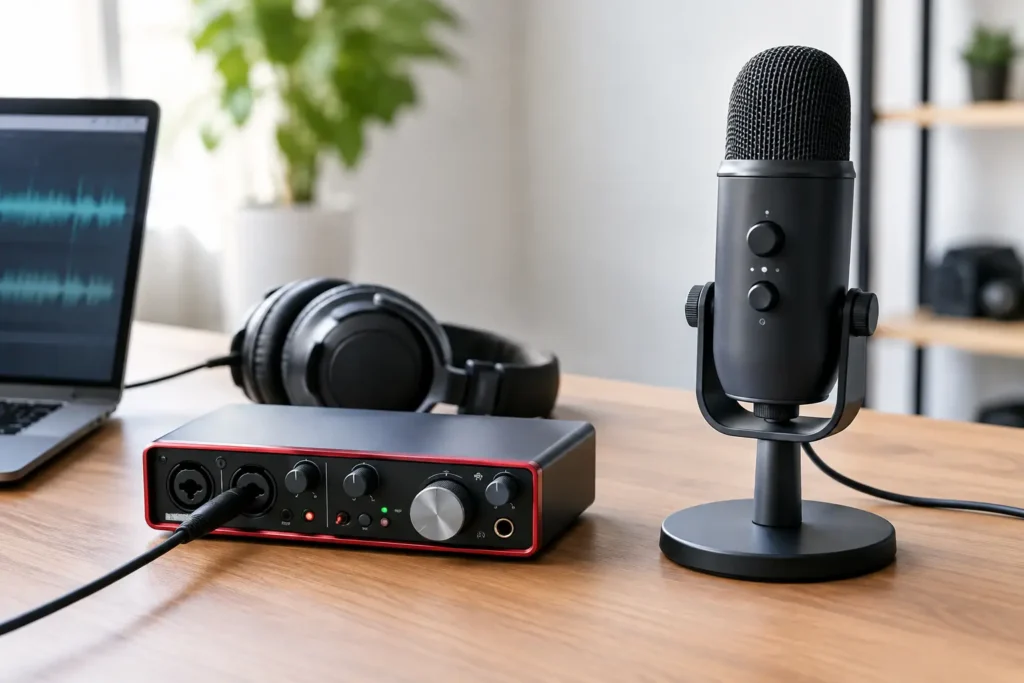
A USB microphone can have you recording in minutes. An audio interface can become the center of a serious home studio. That is why the audio interface versus USB microphone decision is not really about which one is better. It is about what you need to record now, what is slowing you down, and whether your setup needs room to grow.
If you are trying to capture a vocal idea tonight, a USB mic may be exactly the right answer. If you are building sessions with studio monitors, multiple mics, instruments, headphones, and a DAW that needs dependable low-latency performance, an interface is usually the smarter investment. Buying the wrong one is not catastrophic, but it can create the kind of limitation that turns every session into a workaround.
Audio Interface Versus USB Microphone: The Core Difference
A USB microphone combines a microphone, mic preamp, analog-to-digital converter, and USB connection in one device. Plug it into your computer, select it as an input in Studio One, Pro Tools, Logic Pro, Cubase, or Ableton Live, and record. It is simple because the essential recording path is built into the microphone.
An audio interface is a separate device that connects microphones, instruments, speakers, and headphones to your computer. You connect a standard XLR microphone to the interface, set the gain on the interface, and send that signal to your DAW. Most interfaces also provide outputs for studio monitors, direct monitoring controls, and at least one headphone output.
Here is the practical distinction: a USB microphone is a complete single-input recording solution. An interface is a flexible recording and monitoring system. Neither category guarantees professional results by itself. Mic choice, room acoustics, performance, gain staging, and engineering decisions still matter more than the logo on the front panel.
Choose a USB Microphone When Speed Matters Most
A USB microphone makes sense when you record one voice at a time and want the shortest route from idea to recording. It is a strong fit for songwriting demos, voiceovers, online lessons, podcasting, streaming, remote interviews, and producers who need a quick scratch-vocal setup at a laptop.
The biggest advantage is fewer decisions. There is no separate XLR cable, no external preamp selection, and no question about which input to choose. For a beginner who has not yet learned gain structure or DAW I/O settings, that simplicity removes friction.
A good USB mic can sound very good, especially in a controlled room. Do not assume it is automatically a toy because it has a USB port. The converter and preamp are simply housed inside the mic body rather than inside an interface.
The trade-off appears when your needs change. Most USB microphones only let you record that one microphone. You may be unable to connect a guitar directly, add a second mic for a guest, use a different microphone without replacing the entire unit, or connect balanced monitors properly. Some models offer a headphone jack for direct monitoring, but their monitoring features are usually limited compared with an interface.
USB mics can also cause avoidable session confusion. A computer may see the mic as one audio device and your speakers or headphones as another. On some systems, combining separate input and output devices can require extra configuration. That does not make USB mics unreliable, but it can be frustrating when your DAW input works and playback suddenly does not.
Choose an Interface When You Need a Studio System
An interface is the better choice when recording is more than a one-mic job. You want one if you use studio monitors, record vocals with an XLR condenser mic, plug in guitar or bass, collaborate with another performer, or want to make mixing and monitoring part of a repeatable workflow.
Even an entry-level two-input interface covers a lot of ground. One input can handle a vocal microphone while the other takes guitar, bass, or a second mic. You can switch microphones as your needs change, use phantom power for condenser mics, and send a clean signal to your monitors and headphones.
That flexibility matters because music production expands quickly. The songwriter who begins with vocal demos often ends up tracking acoustic guitar. The producer who works alone eventually needs to record an artist. The podcaster adds a guest. A USB microphone can be perfect at the start, while an interface prevents a second purchase when those needs arrive.
Interfaces also tend to offer better control over monitoring. Direct monitoring lets you hear the input signal before it travels through the DAW and back out again. That prevents the distracting delay, or latency, that can make singers feel disconnected from their performance. You can work around latency with a USB mic in some cases, but interfaces are designed around this recording workflow.
Do Not Buy Based on “Sound Quality” Alone
The audio interface versus USB microphone debate often gets reduced to one question: which sounds better? That question is too broad to produce a useful answer.
A well-matched USB microphone in a treated space can beat an inexpensive XLR microphone plugged into a poor interface in a noisy bedroom. At the same time, a quality XLR microphone through a capable interface gives you more choices and can deliver excellent results for years.
Your room may be the real issue. If your vocal recordings sound boxy, harsh, thin, or full of room reflections, changing from USB to XLR will not automatically fix it. Move the mic away from reflective walls, reduce noise sources, use absorption where possible, and work close enough to the microphone for a controlled vocal sound. Correct gain is equally important. A waveform that is constantly clipping cannot be repaired by better hardware.
Spend according to the weak link in your workflow. If your current microphone is usable but you cannot hear your mixes accurately, an interface and proper monitor connection may make more sense. If you already own an interface but record in a loud untreated room, room control and mic technique may deliver a bigger improvement than a more expensive converter.
The Workflow Questions That Make the Decision Clear
Before you buy, answer these questions honestly:
- Will you record more than one source at the same time?
- Do you need to connect studio monitors?
- Do you want to use different microphones over time?
- Will you record guitar or bass directly?
- Do you need dependable headphone monitoring for vocal tracking?
- Are you working from a laptop in different locations, or building a fixed studio?
If most answers are no and your focus is one voice, a USB microphone is likely the practical choice. Put the saved money into headphones, a stand, a pop filter, and basic room treatment. Those pieces have a direct effect on the recordings you make every day.
If two or more answers are yes, start with an interface. A compact two-input model is enough for many home studios. Do not overbuy inputs you will never use, but do not choose a single-purpose device when you already know you need monitors, instruments, or multiple mics.
Common Setup Mistakes to Avoid
The first mistake is treating the interface as a microphone. An interface needs a mic connected to it. Budget for both pieces, along with an XLR cable, stand, and headphones if you do not already own them.
The second is selecting the wrong driver or device in the DAW. On Windows, the manufacturer’s dedicated ASIO driver is generally the right place to start. On Mac, Core Audio usually handles compatible devices directly. In either case, set the interface as both the input and output device when possible. This keeps your recording and playback path consistent.
The third mistake is monitoring through speakers while recording vocals. Unless you are intentionally managing speaker bleed, use closed-back headphones during tracking. Your microphone does not care that the backing track is supposed to be private.
Finally, do not set gain by turning it up until the waveform looks large. Record a test, sing or play at the loudest expected level, and leave headroom. A clean, conservative recording is easier to mix than a clipped one.
Get Help for the Setup You Actually Own
There is no prize for spending three nights chasing a driver conflict, silent input, latency problem, or routing setting that does not match the tutorial you found. Your DAW, computer, microphone, interface, headphones, and goals all affect the right setup.
OBEDIA works with producers and recording artists in live, one-on-one sessions to get those details sorted out in the actual system you use. Whether you choose a USB microphone or an interface, the real goal is simple: press record, hear what you need to hear, and finish the music instead of troubleshooting it.