
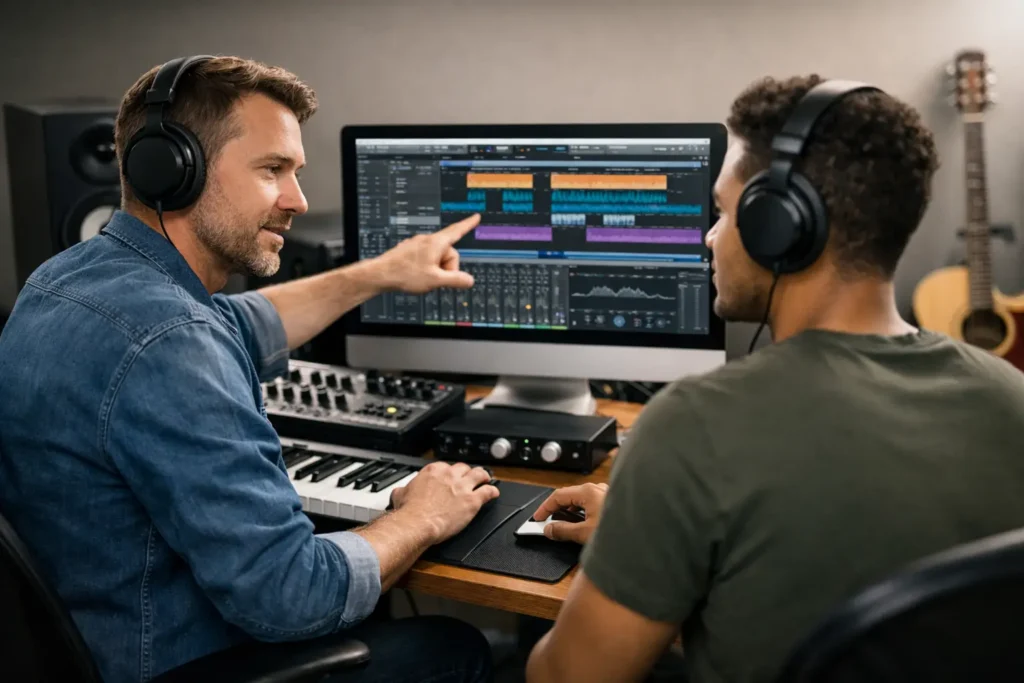
Why does One on One DAW Training help? You can lose an entire weekend to a problem that takes ten minutes to fix when the right person is looking at your session. That is the real value of one on one DAW training. It is not about sitting through another generic lesson on what a compressor does. It is about getting your DAW, your interface, your plugins, your MIDI gear, and your workflow working together so you can actually finish music.
That difference matters more than most producers realize. Pre-recorded tutorials are fine when your setup matches the instructor’s setup, your software version is the same, and your goal happens to line up with the topic they chose to cover. In real studios, especially home studios, that almost never happens. You are dealing with your computer, your room, your hardware, your deadlines, and your skill level. Personalized training closes that gap fast.
Why one on one DAW training gets results faster
Most music production frustration is not caused by a lack of information. It is caused by too much disconnected information. One video explains routing in Pro Tools. Another covers latency in Ableton Live. A forum post mentions buffer size. A manual tells you what a feature does, but not why it is breaking your workflow. None of that helps much when your microphone input is silent, your MIDI controller keeps dropping out, or your mix sounds flat compared to your reference.
One on one DAW training cuts through that noise because the session starts with your exact problem. If your Studio One template is slowing you down, that is the lesson. If your Logic Pro sessions are clipping on export, that is the lesson. If your Cubase setup works but your vocal chain still sounds weak, that is the lesson. You are not paying with time and attention for information you might need someday. You are solving what is blocking you right now.
That is also why live guidance tends to stick. When an engineer shows you how to fix a real issue in your own session, the concept makes sense immediately. You are not memorizing steps from a polished demo project. You are learning in context, which is how most working producers actually improve.
What good one on one DAW training should cover
The best training is not limited to software menus. A DAW never exists by itself. It sits in the middle of a larger production chain, and that chain is usually where the trouble starts.
A useful session might begin with basic setup. That includes audio interfaces, microphones, speakers, headphones, sample rate choices, driver settings, MIDI routing, and plugin installation. For beginners, this can remove weeks of trial and error. For experienced users, it can expose small technical mistakes that quietly hurt every recording and mix.
From there, the training should move into workflow. This is where many producers hit a ceiling. They know how to record. They know how to drag in plugins. But every session feels slow, messy, and harder than it should be. Live instruction can tighten template building, track organization, gain staging, editing habits, automation, bus routing, and export settings so your sessions stop fighting you.
Then there is the creative side. This is where personalized help really separates itself from generic content. Some people need help building beats faster. Some need better vocal production. Some need guidance on arrangement, sound selection, tuning, comping, or getting low end under control. Those are not one-size-fits-all problems. They depend on genre, skill level, tools, and taste.
Who benefits most One on One DAW Training
Beginners often think they need to learn everything before asking for help. Usually the opposite is true. Early mistakes in routing, file management, recording levels, and monitoring can create bad habits that waste months. A few focused sessions can build a clean foundation and make the rest of the learning process much easier.
Intermediate users may get the biggest payoff. This is the group that knows enough to work, but not enough to work efficiently. They have songs started, plugins installed, gear connected, and a lot of questions that never seem to get answered clearly. They do not need another broad overview. They need targeted correction. That is exactly where one-on-one training pays for itself.
Advanced users benefit too, especially when the goal is speed or specialization. Maybe you are moving into Dolby Atmos, integrating outboard gear, tightening your mastering chain, or trying to standardize a professional client workflow. At that level, the problem is rarely lack of effort. It is usually needing another experienced set of eyes.
The trade-off: personalized training versus self-teaching for One on One DAW Training
Self-teaching is cheaper on paper. If you have more time than urgency, and you enjoy troubleshooting for its own sake, you can absolutely build skills through videos, forums, manuals, and experimentation. Many producers do.
But there is a cost. Every wrong turn eats creative momentum. Every unresolved technical issue delays a release. Every hour spent searching for the right answer is an hour not spent recording, editing, arranging, mixing, or pitching music. If you are serious about finishing better work faster, the real question is not whether one-on-one help costs money. It is whether staying stuck costs more.
There is also a quality issue. The internet is full of advice from people who are repeating what they heard, not what they have done. Some tutorials are excellent. Some are outdated. Some are flat-out wrong for your version of the software or your hardware setup. Live instruction gives you immediate feedback, and feedback is what turns information into progress.
How to tell if your current learning approach is failing – should you do One on One DAW Training?
If you keep opening your DAW and feeling resistance before you even start, that is a sign. If you are bouncing between YouTube videos every time a problem appears, that is a sign. If your sessions are full of half-finished tracks, broken routing, plugin confusion, CPU issues, or inconsistent exports, that is a sign too.
Another clear signal is when you can follow tutorials but still cannot apply the ideas to your own work. That usually means you do not need more content. You need translation. You need someone who can look at your setup and say, here is what is happening, here is why, and here is how to fix it without wrecking the rest of your workflow.
That is where real-time training changes the game. Instead of collecting tips, you build a repeatable process.
What to expect from a strong one on one DAW training session
A productive session should feel practical from the first few minutes. The instructor should identify your goal, assess your current setup, and start working directly on the bottleneck. If the issue is technical, they should troubleshoot methodically. If the issue is workflow, they should simplify and organize. If the issue is creative, they should still anchor the advice in concrete steps.
Good training is not about showing off knowledge. It is about getting you to results you can repeat after the session ends. That means explaining why a fix works, not just clicking buttons for you. It also means adjusting to your pace. Some users need fundamentals. Others need advanced routing or mix strategy. The right coach knows the difference.
This is one reason live remote desktop instruction works so well. It removes guesswork. Instead of trying to describe your problem in a message thread, you can show the session, hear the issue, and resolve it in real time. For many producers, that is the first time learning actually feels efficient.
Why live support matters across different DAWs for One on One DAW Training
Every major DAW has strengths, quirks, and common pain points. Studio One users often want a faster production and mixing workflow. Pro Tools users may need help with routing, editing, or hardware integration. Cubase users can run into complexity as projects scale up. Logic Pro users often need clarity around signal flow, plugin management, and recording setup. Ableton Live users may want better organization for arrangement, performance, and hybrid production.
The software changes, but the core value stays the same. Personalized guidance shortens the path between confusion and competence. It also helps you stop blaming the software for problems that are really about workflow, setup, or missing technique.
That is why services built around live one-on-one instruction have stayed relevant while generic content keeps multiplying. OBEDIA built its reputation on that exact idea: real help from real engineers, applied directly to the user’s actual system.
The real outcome is not knowledge. It is momentum.
Most people do not sign up for training because they want more theory. They do it because they are tired of wasting creative energy on preventable problems. They want cleaner recordings, smoother sessions, faster decisions, and finished tracks that sound like they were made by someone who knows what they are doing.
That is what effective one on one DAW training should deliver. Not more noise. Not more tabs open in your browser. Just clear answers, corrected workflow, and a faster path from idea to release.
If your studio keeps slowing you down, the smartest move may be the simplest one: get help from someone who can fix the problem while you are still in the session and still ready to create.