
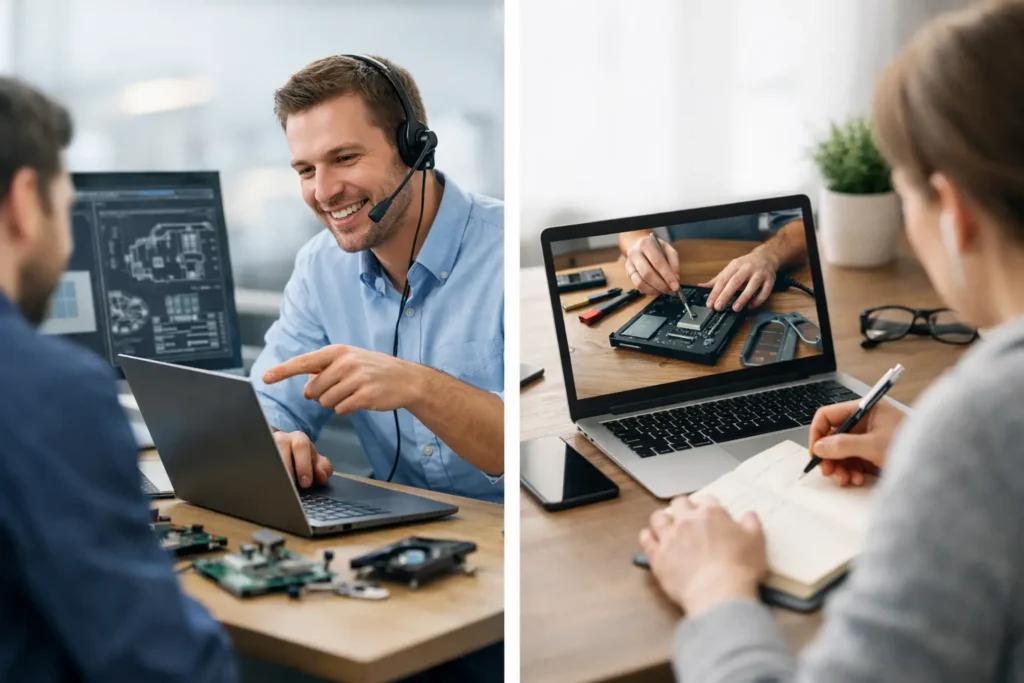
You have watched three videos, changed six settings, and your interface still will not pass audio into your DAW. The problem is not that tutorials are useless. The problem is that your studio is not a generic studio. Engineer support versus tutorials comes down to one question: do you need information, or do you need someone to help you apply it to the exact session, hardware, and creative goal in front of you?
For musicians and producers, that distinction can be the difference between losing a night to menus and finishing a vocal mix. Tutorials can teach a feature. A real engineer can identify why that feature is not working in your system, show you the fix live, and help you use it musically.
Tutorials Are Great for Clear, Repeatable Tasks
A good tutorial is hard to beat when your question is narrow and your setup closely matches the instructor’s. If you want to learn how to create a basic drum pattern in Ableton Live, set up a bus in Studio One, or use a stock EQ in Logic Pro, a focused video can get you moving quickly.
Tutorials are also useful for building vocabulary. New users often need to see what a send, aux track, buffer size, MIDI mapping, or gain staging means before the term makes sense in their own sessions. You can pause, repeat a section, and experiment without feeling rushed.
The limitation shows up when the tutorial stops matching reality. Maybe the instructor is using a different version of Pro Tools. Maybe your Universal Audio, Focusrite, PreSonus, or other interface has a routing panel the video never addresses. Maybe you followed every step, but your monitor path, plug-in format, MIDI controller, or operating system changes the outcome.
At that point, watching another tutorial often creates the appearance of progress without delivering it. You collect more possible answers while the original problem remains unsolved.
Engineer Support Versus Tutorials: The Real Difference
Tutorials are one-to-many. Engineer support is one-to-one. That sounds simple, but it changes the entire learning process.
A tutorial has to make assumptions. It assumes your tracks are organized similarly, your software is current, your drivers are installed correctly, and you are trying to achieve the same result as the person teaching. It cannot see that your vocal is routed to the wrong output, your instrument track is record-enabled incorrectly, or your limiter is masking the actual mix issue.
Live engineer support starts with what is actually happening. An experienced engineer can look at your session, hear the symptom, check the signal flow, and narrow down the cause. Instead of offering ten common fixes, they can tell you which setting matters and why.
That matters for more than technical repair. Production decisions are situational. A tutorial may show a favorite vocal chain, but it cannot hear your singer, your room, your microphone, your arrangement, or the reference track you are chasing. It cannot tell you that the vocal does not need another compressor – it needs less competing information in the guitars and keys.
The fastest answer is not always the best lesson
There is a trade-off. A tutorial can be free or inexpensive, and it is available whenever you have time to watch it. Live help costs more than clicking play, and it requires you to show up ready to work.
But the right support should do more than hand you a fix. It should explain the cause in plain language so you can recognize the same issue next time. You solve the immediate problem while gaining a working method for future sessions.
That is why personalized instruction is valuable for beginners and advanced users alike. A beginner may need help understanding input monitoring. An experienced producer may need a second set of ears on low-end balance, a complex hardware integration issue, or a faster mastering workflow. Neither problem is necessarily hard in isolation. Both become expensive when they stall a project for days.
When a Tutorial Is Enough
Use tutorials when you have a defined task, the consequences of getting it slightly wrong are low, and you can verify the result yourself. Learning a new keyboard shortcut, trying an unfamiliar virtual instrument, or seeing how a DAW feature works are all good tutorial jobs.
They also work well as preparation. Watch a basic lesson before a live session so you are familiar with the language and the screen layout. Then use direct support for the questions that remain after you have tried the process on your own material.
Be honest about the time cost, though. If you have been searching for more than an hour and still do not know whether the problem is your DAW, interface, driver, cable, routing, or session setup, you are no longer learning efficiently. You are troubleshooting blind.
When You Need a Real Engineer
Live support pays off when the answer depends on your exact system or when the issue is blocking creative work. That includes no-input and no-playback problems, MIDI devices that refuse to communicate, latency that makes recording impossible, plug-ins that will not scan, confusing headphone mixes, and sessions that suddenly sound different.
It is just as useful when nothing is technically broken. Many producers know enough to keep working but do not know the most efficient way to work. They spend too long editing drums, build mixes that collapse outside their studio, or keep restarting songs because their workflow has no reliable path from idea to release.
A capable engineer can help you organize templates, create routing that makes sense, set up recording chains, make mix decisions, and develop a repeatable process around your own music. That is not the same as having someone take over your project. The goal is creative independence with fewer dead ends.
Screen sharing changes the quality of the answer
Text comments and forum posts have their place, but they still depend on what you remember to describe. In a live remote session, an engineer can see the software state, inspect the routing, and hear the issue as it occurs. That turns vague statements such as “my mic is not working” into a specific diagnosis.
Maybe the interface is receiving signal but the DAW is listening to a different input. Maybe the track is receiving input but monitoring is off. Maybe the track is routed correctly, but the master output is assigned to the wrong device. Each issue has a different fix. Screen sharing removes much of the guesswork.
For a working artist, that speed is not a luxury. Inspiration has a short shelf life. When a technical problem interrupts a vocal take or writing session, you need a clear path back to the music.
A Smarter Way to Use Both
The strongest approach is not to reject tutorials completely. Use them for general knowledge and feature discovery. Save direct engineer time for diagnosis, implementation, and decisions where context matters.
Come prepared with a goal. Instead of saying, “I want to get better at mixing,” bring in a song and say, “My chorus vocal disappears when the drums enter, and I need a mix that translates to headphones and car speakers.” That gives the session a practical target.
If you are troubleshooting, write down what changed and what you have already tried. Mention your DAW version, computer, interface, operating system, and the exact behavior you are seeing. A short, accurate description helps an engineer get to the root cause faster.
OBEDIA’s live one-on-one sessions are built for this kind of work: real-time help with the DAW, hardware, workflow, and production choices that generic content cannot see. The point is not to replace your curiosity. It is to stop letting technical friction consume the time you set aside to create.
The next time a tutorial gets you 80 percent of the way there, do not spend the next three hours hunting for the missing 20 percent. Put the session on screen, ask the question that fits your setup, and get back to making the record.