
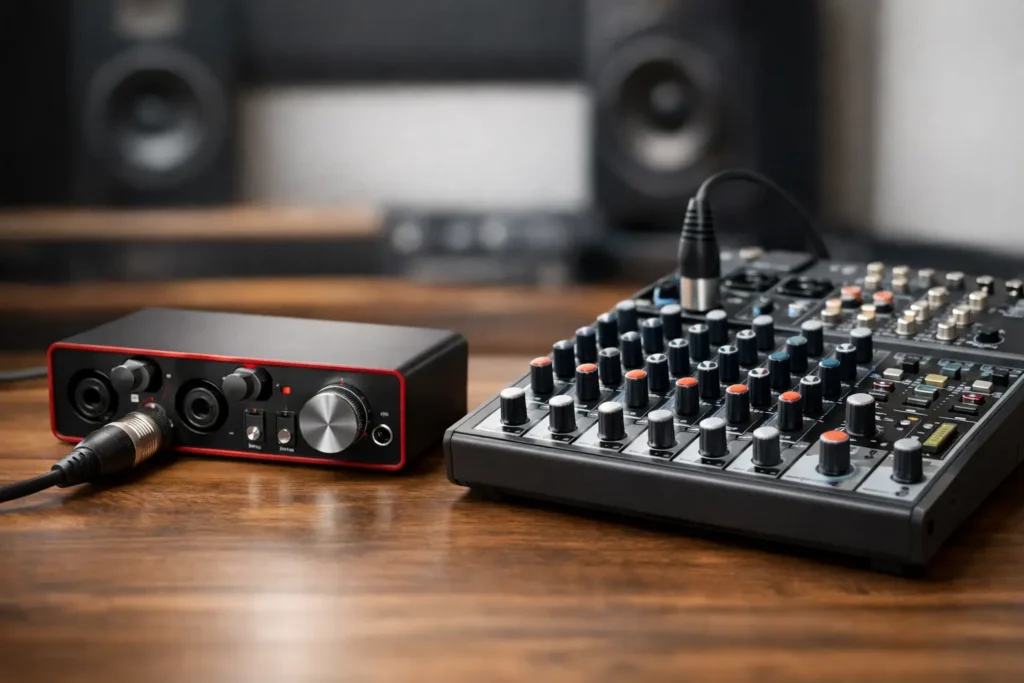
You have a microphone plugged in, your DAW open, and an idea worth recording. Then the hardware question stops the session cold: audio interface versus mixers – which one actually gets you to a clean, workable recording without creating a routing problem you have to solve later?
The short answer is that most DAW-based home studios need an audio interface first. A mixer can be the better tool when you need to manage several sources in real time, create monitor mixes, work with outboard gear, or run a live-streaming setup. The confusing part is that many modern mixers also connect by USB, which makes them look like interfaces. Some are capable recording tools. Others only send a stereo mix to your computer, and that distinction can decide whether your setup helps or limits your production.
Audio Interface Versus Mixers: The Real Difference
An audio interface is built to move audio between the analog world and your computer. It takes a microphone, guitar, keyboard, or line-level source, converts it into digital audio your DAW can record, then converts your DAW playback back to analog audio for speakers and headphones.
That job sounds basic, but the details matter. A good interface gives you microphone preamps, stable drivers, usable latency performance, monitor and headphone outputs, and input channels your DAW can see independently. If you record two microphones at once through a two-input interface, you can normally place each microphone on its own DAW track and edit, process, and mix it later.
A mixer is designed first to combine and control signals. Its channel strips let you set gain, adjust EQ, add auxiliary sends, pan sources, mute channels, and build a mix before it reaches its destination. That destination might be speakers, a PA system, a recorder, a livestream, or a computer.
Neither device is automatically more professional. They solve different problems. An interface centers the computer and DAW. A mixer centers hands-on signal control and real-time routing.
USB Does Not Always Mean Multitrack
This is the specification that catches people most often. A USB mixer may send only its main left-right mix to the computer. If you record a vocal mic, guitar, and keyboard through it, the DAW receives one stereo file containing everything together. You cannot turn down the guitar later without affecting the vocal because they were printed as one mix.
A multitrack USB mixer sends individual channels to separate DAW inputs. That can be excellent for a band, podcast, drum recording, or hybrid setup. But do not assume a mixer with eight physical input channels sends eight channels over USB. Read the I/O specification for the exact model and confirm its computer send and return paths.
For recording into Studio One, Pro Tools, Cubase, Logic Pro, or Ableton Live, the device must also have dependable driver support for your computer. A long channel list means very little if the driver is unstable or the available inputs do not appear correctly in your DAW.
When an Audio Interface Is the Better First Purchase
For a solo artist, songwriter, beat maker, or producer recording one or two sources at a time, an interface is usually the clear choice. It keeps the signal path short: source into interface, interface into DAW, DAW back to your monitors or headphones.
That direct path is especially useful when you are learning recording fundamentals. You can concentrate on microphone placement, input gain, buffer settings, headphone level, and track routing without also managing a mixer architecture. It is easier to identify where a problem lives when there are fewer places for the signal to disappear.
Interfaces also tend to make DAW monitoring more predictable. When you are overdubbing vocals, software latency matters. A properly configured interface with the right buffer size can keep the performer connected to the timing of the track. Many interfaces also offer direct monitoring, allowing you to hear the live input before it travels through the DAW and back.
Choose an interface first if your usual session is a vocal and guitar, a stereo keyboard, a single voiceover mic, electronic production, or mixing existing tracks. Choose it if you need each recorded source on its own track and want the computer to remain the center of the studio.
Input count deserves an honest look. Buying a two-input interface because you only record alone can make sense. But if you expect to record a drum kit, a full band, or several microphones around an acoustic performance, plan for more inputs or an interface with expandable digital I/O. Replacing gear later costs more than choosing the right channel count now.
When a Mixer Makes More Sense
A mixer earns its place when your work requires fast, physical control of several signals at once. Maybe you host a podcast with multiple guests, run a rehearsal room, perform with hardware synths, capture a live ensemble, or send a separate cue mix to a vocalist. In those situations, grabbing a fader or turning an aux send can be faster than opening another software panel.
Analog mixers are also useful in studios built around hardware. If several synths, drum machines, effects units, and samplers stay connected, a mixer lets you monitor and combine them without patching every device into the interface for every session. You may still need an interface to record into the computer, unless the mixer itself provides multichannel USB audio.
Digital mixers go further. They can offer recallable settings, built-in effects, multiple headphone mixes, remote control, and multitrack USB recording. That flexibility is powerful, but it comes with a learning curve. A digital mixer is a small routing system, not just a box with faders. If you do not understand its buses, USB returns, monitor assignments, and channel routing, it is easy to hear audio while recording the wrong signal – or record silence while everything looks connected.
A mixer is not automatically a better choice because it has more knobs. If most of your work happens inside a DAW, extra hardware control may create more decisions without improving the recording.
Sound Quality Is Not the Simple Deciding Factor
People often frame the choice as “clean interface” versus “warm mixer.” That is too broad to be useful. Sound quality comes down to the specific preamps, converters, gain staging, analog circuitry, and the way you operate the device.
A clean interface with proper gain staging will produce professional results. A quality mixer can do the same. A poor gain structure through either device can give you noise, clipping, weak recordings, or a level that is difficult to mix.
Watch for the difference between mic level, instrument level, and line level. Plugging a guitar directly into a line input that lacks a proper instrument input can leave you with a dull or weak result. Feeding a mixer’s line output into an interface’s mic input can overload the interface preamp. These are setup errors, not evidence that one category of gear sounds bad.
If you use a mixer and interface together, the usual approach is to send the mixer’s main outputs or direct outputs into the interface’s line inputs. Keep unnecessary preamp stages out of the chain, leave enough headroom, and confirm whether you are recording individual channels or only the mixer’s stereo bus.
Ask These Questions Before You Buy
Start with the session you need to run, not the gear you think looks more capable. How many microphones or instruments must record at the same time? Do you need separate DAW tracks for every source? Are you mixing live performers, sending headphone mixes, streaming, or using several hardware instruments every day?
Then consider workflow. If you are primarily producing, editing, overdubbing, and mixing in a DAW, an interface is the efficient foundation. If the recording itself involves multiple people and live routing decisions, a multitrack USB mixer or a mixer-plus-interface system may save real time.
Also check the less exciting details before you commit: driver compatibility, number of independent headphone outputs, monitor control, available line inputs, phantom power behavior, loopback features for streaming, and expansion options. These are the details that determine whether the unit fits your actual sessions six months from now.
The Setup Mistakes That Waste the Most Time
The most common mistake is treating a USB mixer like a multitrack interface without confirming what it sends to the DAW. The next is selecting the device in your operating system but not configuring its inputs and outputs inside the DAW. Your software has to know which physical input maps to each recording track.
Another frequent problem is monitoring through two paths at once. You hear the direct signal from the interface or mixer and a delayed copy from the DAW, creating an echo or comb-filtered sound. Decide whether you are using direct monitoring or software monitoring for that source, then configure the system accordingly.
Finally, do not use hardware EQ or compression on the way in just because the mixer offers it. Commit on the way in only when you understand the result and want it permanently printed. For most home-studio recording, capture a clean, healthy level and make tonal choices later in the mix.
The right choice is the one that makes your next session simpler, not the one with the longest feature list. If your routing, DAW settings, and hardware decisions are still getting between you and finished music, a live one-on-one session with an OBEDIA engineer can turn your exact setup into a workflow you can trust.