
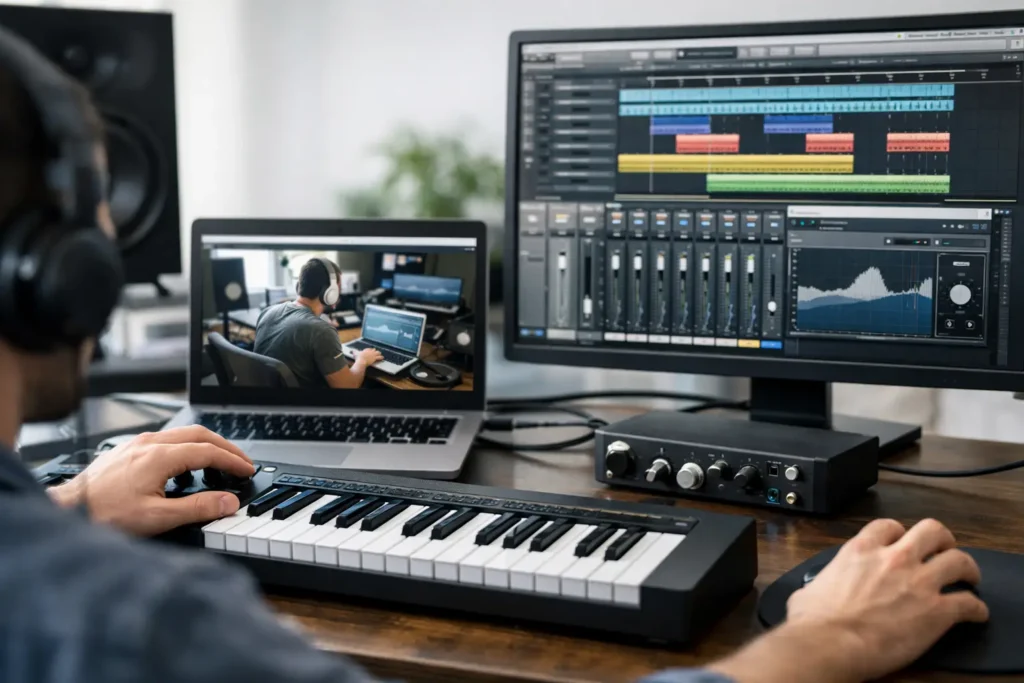
You can lose an entire weekend to one bad buffer setting, a missing driver, or a routing mistake buried three menus deep. That is exactly why remote desktop music production help has become such a practical solution for home studio users who want answers now, not after three hours of forum searching and ten half-related videos.
If you make music on a computer, you already know the pattern. The software says one thing, your interface does another, MIDI behaves unpredictably, and every tutorial assumes your setup looks exactly like the person on screen. It usually does not. When you are trying to record vocals, finish a beat, set up a mix template, or get your controller talking to your DAW, generic advice stops being useful very quickly.
What remote desktop music production help actually solves
At its best, this kind of support is not just screen sharing. It is live, one-on-one problem solving with someone who understands audio production, signal flow, DAWs, plugins, drivers, interfaces, and the difference between a technical issue and a workflow issue.
That matters because a lot of music production problems are layered. Maybe the clicks and pops are not just a CPU problem. Maybe your sample rate is wrong, your audio device settings do not match the session, your plugin chain is too heavy for tracking, and your OS is fighting your interface. A search result can tell you what each of those terms means. A real engineer can identify which one is actually stopping your session.
This is where remote help earns its value. Instead of describing your setup in a support ticket and hoping somebody understands, you can show the exact project, exact hardware, exact error, and exact behavior in real time. That cuts out a lot of wasted back and forth.
Why tutorials often fail when your studio is the variable
Pre-recorded training has a place. It is useful for broad concepts, new features, and basic orientation. But if your problem is specific, tutorials can waste more time than they save.
The issue is not that the information is always wrong. The issue is that your computer, interface, controller, plugin folder, operating system version, and production goals are all variables. The person in the video may be working in Logic Pro on a Mac with a simple vocal chain. You may be in Pro Tools on Windows, trying to integrate outboard gear, a MIDI keyboard, and a second monitor while troubleshooting latency.
That is why remote desktop music production help is so effective for producers and artists who are stuck. It is built around your actual rig, not a clean demo setup that only exists for training content.
Where live remote support makes the biggest difference
The most obvious use case is technical troubleshooting. If your interface is not recognized, your DAW will not launch properly, your audio is distorted, or your plugins keep disappearing, live remote help can get you to the root cause much faster than trial and error.
But technical fixes are only part of the story. Many musicians need help because they are not sure they are using their tools efficiently. They can record, but editing is slow. They can mix, but routing is messy. They can write ideas, but session organization keeps killing momentum. In those cases, the right support session is not about fixing a broken system. It is about building a better workflow.
That might mean setting up templates in Studio One, cleaning up track management in Cubase, creating smarter routing in Ableton Live, dialing in low-latency recording settings in Logic Pro, or organizing I/O and playback engine settings in Pro Tools. These are not glamorous problems, but solving them saves real hours every week.
DAW help is only useful if it matches your goal
A beginner may need help recording the first clean vocal take without delay in the headphones. An intermediate producer may need to understand sidechain routing, gain staging, or automation. An advanced user may be trying to optimize a hybrid setup, prep sessions for clients, or tighten a mastering workflow.
All three need support, but not the same kind. That is another reason one-on-one remote help works. The session can focus on what moves your work forward right now instead of walking through features you do not need.
Hardware integration is where many studios get stuck
A lot of frustration has nothing to do with talent and everything to do with setup. Audio interfaces, control surfaces, MIDI keyboards, external preamps, monitors, and headphone systems all introduce variables. Add OS updates and driver changes, and even experienced users can get blindsided.
This is where working with someone who understands both software and hardware matters. You do not need a generic computer technician. You need someone who can look at your DAW preferences, your interface control panel, your clocking, your routing, and your session settings and make sense of the whole chain.
What good remote desktop music production help should look like
Not all remote support is equal. Some services are really just tech support reading from a script. That is not enough for music production.
Good help should be interactive, specific, and fast. The person assisting you should understand music software deeply enough to explain the problem in plain English, fix what can be fixed during the session, and show you how to avoid the same issue next time.
They should also be comfortable moving between troubleshooting and training. Sometimes the answer is changing one setting. Sometimes the bigger win is teaching you the signal flow behind the issue so you stop running into it.
A strong session usually includes three things. First, your immediate problem gets addressed. Second, your setup gets evaluated for other bottlenecks. Third, you leave knowing what changed and why.
The trade-offs to consider before you book a session
Remote help is powerful, but it is not magic. If your computer is seriously underpowered, your interface is failing physically, or your plugin collection is a mess of unsupported software, there may be limits to what can be fixed in one sitting.
It also depends on your readiness. If you do not know your goals, a session can still help, but it works best when you can say, “I need to record vocals cleanly,” “I need this MIDI controller mapped correctly,” or “I need my mixes to translate better.” Clear targets produce better outcomes.
There is also a difference between needing a quick fix and needing ongoing development. Some users need one session to solve a setup issue. Others benefit more from continued training, especially if they are learning a new DAW, building a production workflow, or preparing to release music consistently. Neither approach is wrong. It depends on whether your problem is isolated or part of a bigger skill gap.
Why this approach saves more than just time
The obvious benefit is speed. You get unstuck faster. But there is another benefit that matters just as much: confidence.
When your studio is unreliable, you hesitate. You second-guess every setting, avoid updates, and work around problems instead of fixing them. That slows creativity. It also makes simple tasks feel harder than they should.
When someone helps you stabilize the system and understand it, you work differently. You stop fearing the software. You start making decisions faster. You spend less energy troubleshooting and more energy producing.
That shift is a big deal for artists who are trying to finish songs, for producers managing client work, and for engineers who cannot afford technical surprises during sessions.
Who gets the most value from live remote support
Beginners get value because they can skip months of confusion and build good habits early. Intermediate users get value because they often have enough knowledge to be dangerous but not enough clarity to solve deeper workflow issues efficiently. Advanced users get value because even experienced producers hit technical walls, especially when integrating new hardware, updating systems, or refining a commercial workflow.
This is why services like OBEDIA have stayed relevant for so long. Real-time one-on-one help meets people where they actually are – not where a course outline assumes they should be.
If your DAW keeps fighting you, your hardware is not cooperating, or your workflow is slowing down your output, the smartest move is often the simplest one. Get a real audio engineer on the screen, solve the exact problem in front of you, and get back to making records.